Most small business owners do not care about code at first.
They care about bookings, leads, payments, customer support, and getting work done faster. If a website helps bring more inquiries, it matters. If an app saves staff two hours every day, it matters. The technology behind it only becomes important when things break, slow down, or cost too much.
That is why Vibe Coding in 2026 has become such a practical topic.
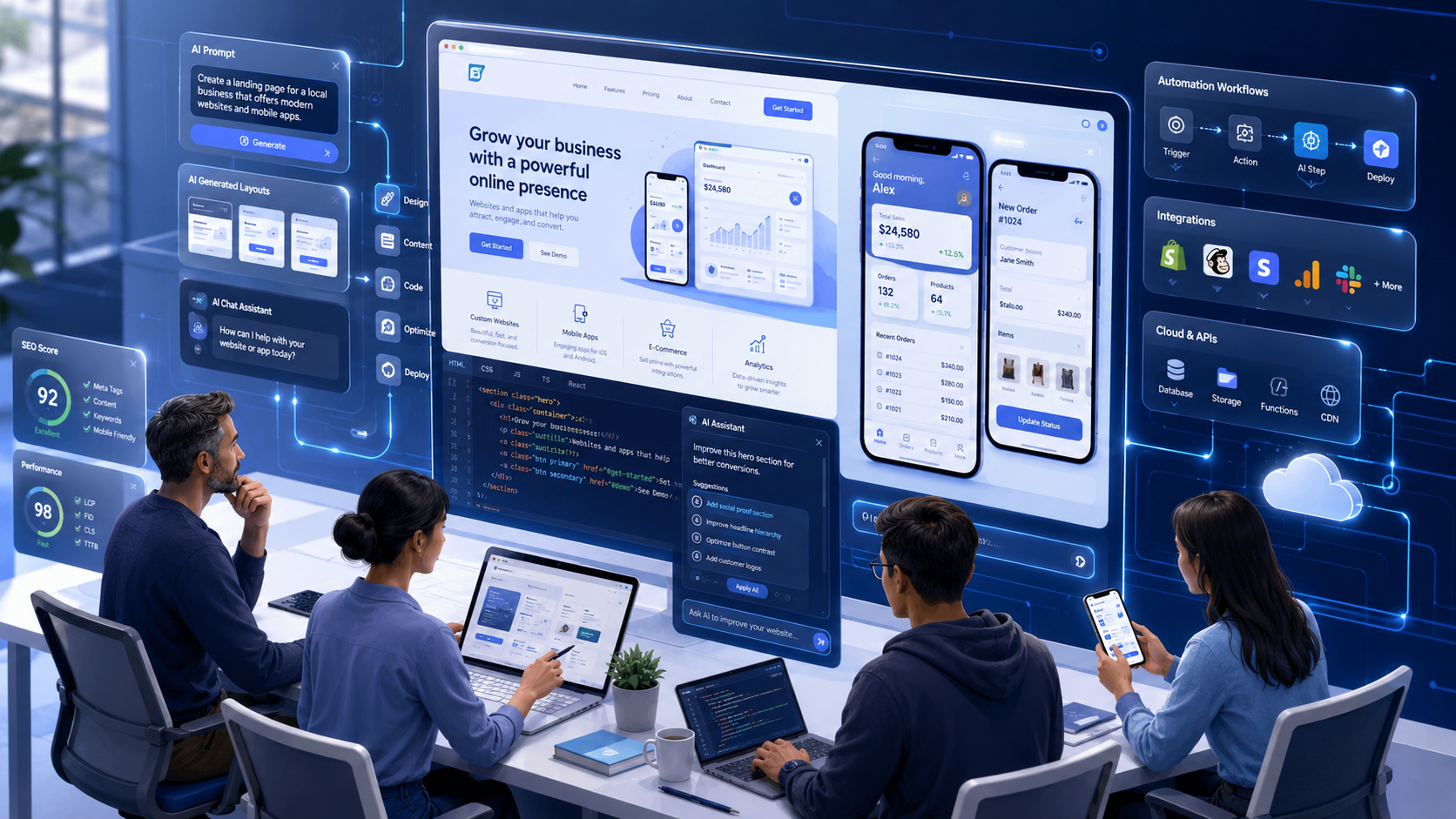
AI coding tools are changing how websites, apps, dashboards, landing pages, and internal business tools are built. A founder can now turn a rough idea into a working prototype. A marketer can test landing page layouts before sending them to a developer. A freelancer can create better first drafts without starting from a blank screen.
This does not mean development has become effortless. It has not. AI speeds up the first version, but human judgment still determines whether the product is useful, safe, and ready for real customers.
Table of Contents
What is vibe coding?
Vibe coding means using plain language prompts to guide AI coding tools. You explain the feature, design, flow, or business goal. The AI helps create code, page layouts, app screens, forms, or logic. It is useful for fast drafts and prototypes, but the final work still needs testing, cleanup, and human review.
What Is Vibe Coding?
Vibe coding is a simple idea.
Instead of writing every line of code by hand, you describe what you want the software to do. The AI tool then helps create the structure, layout, code, or logic.
For example, a salon owner might write:
“Create a booking landing page for a salon with services, prices, customer reviews, an appointment form, and an FAQ section.”
An AI coding tool can generate a first version of that page. It may create the section layout, form fields, button text, basic styling, and even SEO-friendly headings.
That first version will not be perfect. The services may need editing. The booking form may need real validation. The design may feel too plain. But it gives the business a starting point.
That is the real value of vibe coding. It helps people move from idea to draft much faster.
A good vibe coding prompt usually includes:
- What the business does
- Who the user is
- What the page or app should do
- What sections are needed
- What design style should be followed
- What platform or framework should be used
- What needs to be tested before launch
The better the instruction, the better the output.
Why Vibe Coding Is Growing in 2026
Vibe coding is growing because small businesses want speed without wasting money.
A startup may need an MVP before meeting investors. A local service business may need a landing page before running ads. A shop owner may want a simple order tracking system because WhatsApp messages are getting messy.
Traditional development still has value, but it can feel slow in the early idea stage.
AI-assisted development makes that first stage lighter. You can test an idea, change the layout, add a form, or try a new app screen without waiting for a full development cycle.
There is another reason, too. Business owners are now more comfortable using tools. They already use website builders, CRM platforms, automation apps, email tools, and no-code systems. So AI web development tools feel like the next step, not a completely new world.
No-code and low-code tools made software easier to build. AI coding tools are now making it easier to start custom development.
This is especially useful for small businesses because they often do not need a huge software system on day one. They need something that works, solves one problem, and can improve over time.
How AI Helps in Website Development
AI website development is useful before the first line of code is even written.
A business owner can use AI to plan the website structure. It can suggest pages, sections, navigation, blog categories, service blocks, FAQs, and calls to action.
This is helpful because many websites fail before design starts. The problem is not always bad code. The problem is unclear planning.
AI can help create:
- Sitemap ideas
- Homepage structure
- Service page layouts
- Landing page sections
- Blog templates
- FAQ blocks
- Contact forms
- Basic frontend code
- Mobile-friendly layouts
- SEO heading structure
- Speed optimization suggestions
- Testing checklists
Take a local pest control company as an example.
They may need a homepage, city-specific service pages, an emergency booking form, customer reviews, pricing guidance, and answers to common questions. Earlier, the owner may have explained this in a call and waited for a designer to prepare the first draft.
Now the team can use AI to create a rough structure in a few hours.
The developer can then clean the code. The SEO person can improve the content. The designer can make it look branded. The business owner can check whether the page explains the service clearly.
That is a better workflow.
AI does not replace the website team. It removes some of the blank-page delay.
How AI Helps in App Development
AI app development works in a similar way.
Many small businesses do not need a complex mobile app at the start. They need a simple tool for one clear task.
That task could be booking management, customer follow-up, order tracking, staff reporting, lead management, or invoice updates.
AI coding tools can help plan:
- User flows
- Login screens
- Dashboard layouts
- Form fields
- Basic database structure
- Admin panels
- API requirements
- Notification logic
- Error messages
- Documentation
Imagine a small home repair business.
The owner gets service requests from calls, WhatsApp, website forms, and referrals. After a point, tracking everything manually becomes frustrating. A small internal CRM could help.
With vibe coding, the owner can describe the workflow:
“Create a simple CRM where staff can add customer details, service type, appointment date, payment status, technician name, and follow-up notes.”
AI can suggest the app screens, database fields, form layout, and admin dashboard. It may also generate basic code.
That is useful. But it is not the final product.
A developer still needs to check login security, data storage, user roles, backups, and privacy. If payments or customer data are involved, there is no shortcut.
Vibe coding is best used to shape the app idea quickly. The serious parts still need expert review.
Vibe Coding vs Traditional Development
Vibe coding and traditional development are not the same thing.
Traditional development starts with planning, design, architecture, coding, testing, and deployment. It is slower, but it gives better control for serious projects.
Vibe coding starts with fast instructions and quick output. It is useful when you want to explore an idea, create a prototype, or speed up simple development tasks.
Here is the simple difference.
| Area | Vibe Coding | Traditional Development |
| Speed | Very fast for first drafts | Slower but more planned |
| Cost | Lower at the starting stage | Higher upfront cost |
| Flexibility | Easy to test ideas | Better for fixed requirements |
| Accuracy | Depends on prompt quality | Depends on the developer’s skill |
| Security | Needs careful review | Can be planned deeply |
| Scalability | Limited without expert input | Better for long-term systems |
| Maintenance | Can become messy | Easier with a clean structure |
| Best for | MVPs, landing pages, prototypes | Complex websites and apps |
The mistake is thinking that vibe coding fully replaces developers.
It does not.
It changes the workflow. Developers can now move faster. Business owners can explain ideas better. Marketers can test landing pages sooner. Designers can create working mockups instead of static concepts.
The best results come when AI speed and human skill work together.
Benefits of Vibe Coding for Small Businesses
The biggest benefit is faster testing.
A small business can test a new offer, page, app idea, or automation before spending a large budget. That is a big advantage.
For example, a fitness coach may want to launch an online program. Instead of building a full platform first, they can create a landing page, sign-up form, payment flow idea, and member dashboard prototype. Then they can see if people are actually interested.
That saves time and money.
Vibe coding also improves communication. Many business owners know what they want, but they struggle to explain it in technical language. A rough AI-generated version helps them show the idea more clearly.
Other benefits include:
- Faster MVP launch
- Lower starting cost
- Easier prototyping
- Quick landing page creation
- Better design testing
- Faster content planning
- More useful developer handoff
- Simple automation ideas
- Better app flow planning
- Faster internal tool creation
For small business website development, this is a practical shift.
A business no longer needs to wait weeks just to see the first draft. It can test, adjust, and improve faster.
Risks and Limitations of Vibe Coding
Vibe coding has problems, too.
AI-generated code can look clean but still fail in real use. A form may be submitted incorrectly. A dashboard may not handle empty data. A login system may be weak. A page may look fine on a desktop but break on mobile.
This happens often when people trust the first output too much.
Poor prompts also lead to poor results. If you only write “make a business website,” the output will usually feel generic. It may look like hundreds of other AI-made pages.
There is also the issue of business logic.
A booking system for a doctor is not the same as a booking system for a salon. A restaurant order tool is not the same as a warehouse order tool. AI may miss these differences unless you explain them clearly.
SEO is another area where people make mistakes.
AI can create page content and headings, but ranking needs more than that. You still need keyword research, search intent, internal linking, local relevance, page speed, schema, and useful content.
Security matters too. Do not launch AI-generated apps that handle customer data without review. Do not paste private records into tools without understanding privacy risks.
Vibe coding is helpful, but careless use can create bigger problems later.
Where Human Developers Are Still Important
Human developers are still needed for serious work.
They decide how the system should be built. They check whether the code is secure. They plan the database. They review performance. They fix hidden problems that AI may not notice.
Developers are especially important for:
- Software architecture
- Payment gateways
- API integrations
- Login and user roles
- Complex backend systems
- Custom business logic
- Database planning
- Security reviews
- Performance optimization
- Code cleanup
- Long-term maintenance
For example, AI may create a payment form. But a developer must check how payment data is handled, what happens when a payment fails, how invoices are stored, and how refunds work.
That is not small work.
AI can help with code, but human developers understand risk, context, and long-term product decisions.
Best Use Cases of Vibe Coding in 2026
Vibe coding works best when the project is clear and not too risky.
Good use cases include:
- Landing pages
- Portfolio websites
- Blog websites
- Service page templates
- SaaS dashboard prototypes
- Booking systems
- Admin panels
- Internal CRM tools
- Simple order tracking tools
- AI chatbot prototypes
- Automation dashboards
- Lead generation forms
- Mobile app mockups
- Client portal prototypes
These projects are useful because they can start small.
A business can build the first version, test it with real users, collect feedback, and then improve it. That is much better than spending months building something nobody wants.
For complex apps, vibe coding should be used in the planning and prototype stage. After that, a developer should review the structure before the product grows.
How Small Businesses Should Use Vibe Coding Safely
Start with one clear goal.
Do not ask AI to build a complete app in one prompt. That usually creates messy results.
A better approach is to start with one feature.
For example:
“Create a booking form for a yoga studio. Users should choose a class, select a date, enter their name, phone number, and email, then see a confirmation message.”
That is clear.
Then build the next part. Maybe the admin dashboard. Then the email notification. Then the payment flow.
Small businesses should follow this process:
- Define the business problem.
- Write the user flow in simple words.
- Create one feature first.
- Test it properly.
- Fix errors before adding more.
- Review the design on mobile.
- Check the SEO structure for websites.
- Keep customer data safe.
- Ask a developer to review important code.
- Launch only after testing.
Also, keep prompts detailed.
Mention the business type, target audience, design style, page sections, features, and expected user action. AI performs better when the instruction is specific.
A weak prompt creates a weak product. A strong prompt gives the project a better starting point.
Future of Website and App Development with AI
The future of web development will not be fully automatic.
It will be faster, yes. It will be more accessible. More people will be able to turn ideas into working drafts. But serious products will still need planning, testing, design thinking, SEO strategy, and clean development.
Website development in 2026 is already moving toward smaller teams with better tools. A designer, developer, marketer, and business owner can now work together faster because AI reduces repetitive work.
App development in 2026 is moving the same way. Teams can test flows, dashboards, and features before committing to a full build.
The businesses that benefit most will not be the ones that blindly use AI for everything. They will be the ones who use it carefully.
Clear ideas will matter. Good prompts will matter. Human review will matter. Strategy will matter even more.
Vibe coding gives small businesses a faster start. But the best results still come from people who understand the business, the customer, and the real problem being solved.
Final Thoughts
Vibe coding in 2026 is changing how small businesses approach websites and apps.
It helps them move faster, test ideas sooner, and reduce early development costs. It makes website planning, landing page creation, app prototyping, and internal tool development more accessible.
But it is not a magic button.
AI coding tools can create bugs. They can misunderstand business logic. They can produce weak security. They can also create generic websites if the prompt has no clear direction.
The smart approach is simple: use AI to speed up the first draft, then use human skill to make it reliable.
For small businesses, that balance is powerful. It means faster ideas, better testing, and smarter digital growth without losing control.
FAQs
1. What is vibe coding in simple words?
Vibe coding means using AI coding tools to build websites, apps, or software with plain language instructions. You describe what you want, and the AI helps create code, layouts, screens, or logic. It is useful for quick drafts and prototypes.
2. Is vibe coding good for small businesses?
Yes, vibe coding is useful for small businesses because it helps them test ideas faster. It can reduce the time needed for landing pages, app prototypes, dashboards, forms, and internal tools. Human review is still needed before launch.
3. Can AI build a full website?
AI can help build a full website draft with pages, sections, forms, content blocks, and basic code. But the website still needs design review, SEO improvement, speed testing, mobile checks, and technical cleanup.
4. Can AI create mobile apps?
AI can help create mobile app screens, user flows, database ideas, and basic app code. For apps with payments, user accounts, or private data, a developer should review everything before launch.
5. Will vibe coding replace web developers?
No, vibe coding will not fully replace web developers. It will help developers work faster. Human developers are still needed for security, architecture, complex logic, integrations, performance, and long-term maintenance.
6. Is AI-generated code safe?
AI-generated code is not always safe. It may contain bugs, weak security, or poor structure. Any important code should be tested and reviewed by a skilled developer before being used in a live project.
7. What are the best uses of vibe coding?
The best uses of vibe coding include landing pages, portfolio websites, blog templates, SaaS dashboard prototypes, booking systems, admin panels, internal CRM tools, automation dashboards, and simple app prototypes.
8. How can small businesses start with vibe coding?
Small businesses should start with one clear problem. Write a detailed prompt, build one feature at a time, test each part, and ask a developer to review important code before launch.

Bodh Raj is a Digital Marketing Manager with around 5 years of experience in SEO, content marketing, Meta Ads, Google Ads, and digital growth strategies. He has worked on website optimization, content planning, lead generation, and online marketing campaigns across different industries, helping businesses improve their digital presence and organic visibility.