If you own a shopify store concerned about SEO and its ranking, then shopify duplicate collection URLs could be a major reason, now Search Engine Optimization (SEO) requires powerful technical precision for eCommerce.At AdsLectic, we’ve seen how traffic suffers when search engines get confused by a store’s structural technical SEO.
The most common technical issues comes from the shopify’s default structure which is usually the issue of duplicate collection URLs.
This step-by-step guide explains why this happens and how to fix it using canonical tags even if you are a beginner.
Table of Contents
What Are Shopify Duplicate Collection URLs?
In Shopify products can appear in multiple collections.
For example, a product may exist in:
- Trending Collection
- Women’s fashion
- Festival season
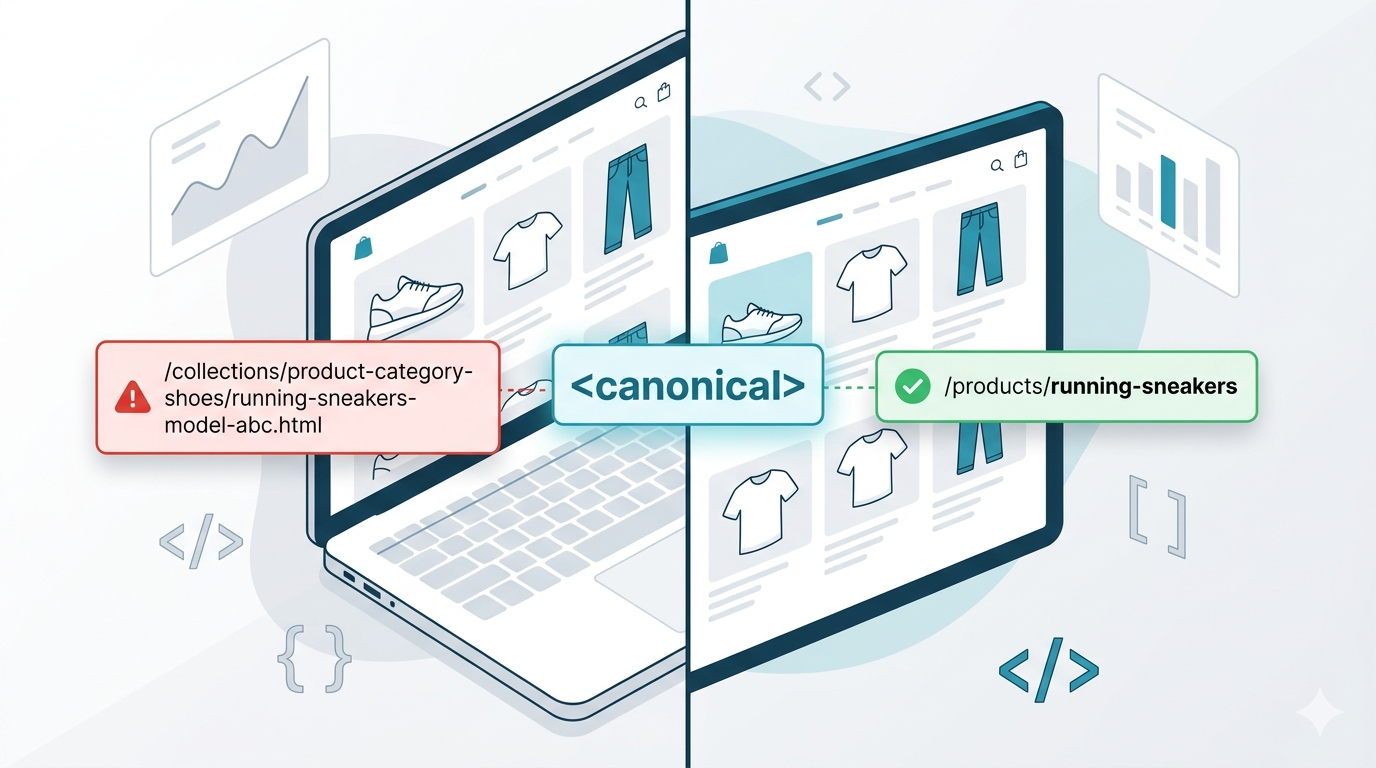
Due to this, Shopify can generate different URLs for the same product.
Example:
https://store.com/products/women’s-fashion
and
https://store.com/collections/festival-season/products/women’s-fashion
Both URLs represent the exact same product page.
To common users, this may seem normal but search engines treat these as separate URLs.
That creates duplicate content issues.
Shopify duplicate collection URLs create duplicate content issues that can confuse search engines and weaken SEO signals.
Why Duplicate Content Harms Your eCommerce Rankings
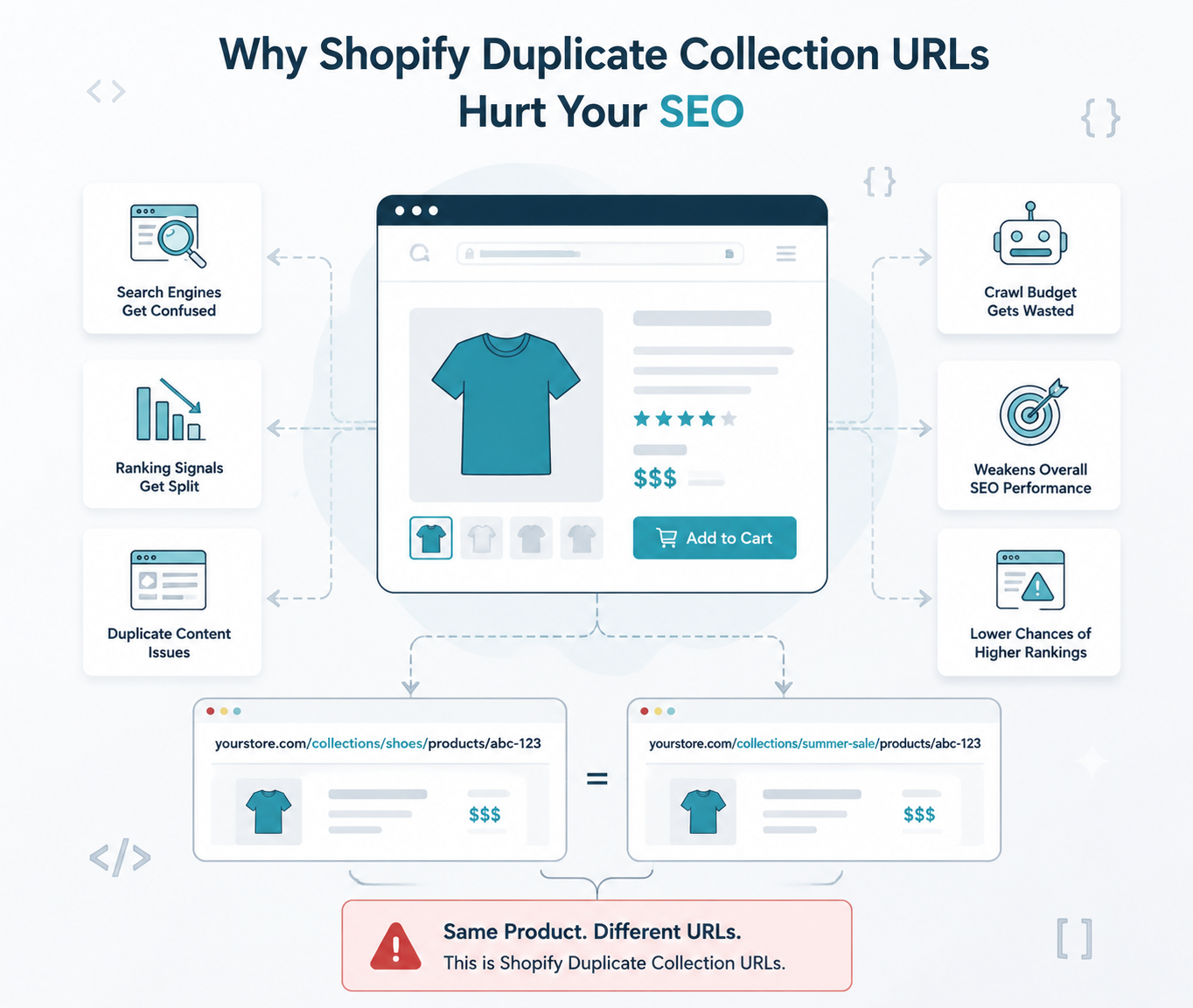
Shopify duplicate collection URLs can quietly damage your overall eCommerce SEO performance if left unresolved. When multiple links display the exact same content it negatively impacts SEO in several ways:
1. Wasted Crawl Budget
Search engine bots have a limited amount of time allotted to spend on reading a website. If bot keeps crawling the duplicate pages, it will end up spending less time on the important content of the website
2. Split Ranking Signals
Multiple versions of the same page of your store can make the backlinks, authority and engagement signals get split up, weakening your overall rank .
3. Indexing Confusion
Google’s algorithm struggles to select which URL is the right one to appear in search results. Your important links will compete against each other, decreasing your overall visibility.
4. Lower SEO Efficiency
Even if Google doesn’t directly penalize the duplicate pages, they reduce the overall efficiency of your Shopify store’s SEO and growth .
The Solution: A Canonical Tag
Canonical tags are one of the most effective ways to manage Shopify duplicate collection URLs properly. A canonical tag is a part of HTML code placed in the backend of a webpage. It tells search engines which version of a page is the main or preferred one.
It looks like this in HTML:
Understanding how this works is critical, especially when comparing it to other redirection methods.To get a more deeper understanding of this you can read this guide on canonical vs 301 redirects to see when to use each strategy.
When Google crawls such a path this tag signals to Google that all duplicate versions should consolidate ranking signals into the primary URL.
For example telling search engines:
“These pages are similar, but this one is the main version to prioritize.”
How to Check Canonical Tags in Shopify
To inspect canonical tags no need to have any technical knowledge, you just need to follow these simple steps.
Step 1: Open any product URL Inside a Collection
Visit a URL like:
https://rstore.com/collections/best-sellers/products/women’s-fashion
Step 2: View Page Source
Right-click on the page and select:
View Page Source
Step 3: Search for “canonical”
Use: CTRL + F
Search for: canonical
Now you should see something similar to:
If the canonical is displaying the clean product URL, your store page setup is correct.
Step-by-Step Framework to Fix Incorrect Canonical Tags in Shopify
If canonical tags are incorrect, you can fix them through your Shopify theme.
Note: Always duplicate your live theme to create a backup file before editing any code.
Step 1: Open Theme Code Editor
First log into your Shopify admin control panel dashboard then navigate to the Online Store on the sidebar menu and select Themes.
Click the Three Dots next to your active theme layout. Select the Edit Code option from the dropdown menu.
Online Store → Themes → Edit Code
Step 2: Locate the Main Snippet File
Look at the left-hand folder directory sidebar to locate your template assets. Search for a file named layout/theme.liquid .Look inside the
section.This specific file controls how product links behave inside your collection pages.
Step 3: Locate Existing Canonical Tag
You may find code like:
This is Shopify’s default canonical setup. However, if your theme has custom logic generating incorrect URLs, replace problematic code with Shopify’s standard canonical variable.
Common Shopify Canonical Mistakes
Many beginners accidentally make these mistakes while optimizing the SEO of their stores.
Here are common mistakes to avoid.
Using Apps That Override Canonicals
Some SEO apps automatically rewrite canonical tags. If multiple apps manage SEO settings simultaneously, issues can occur.
Always check whether an app modifies:
- Canonicals
- Meta robots
- Pagination tags
Canonicalizing Everything to the Homepage
This is a very crucial SEO mistake. Each page should canonicalize to its most relevant version, not the homepage.
Blocking Duplicate URLs With Robots.txt Alone
Using Robots.txt to block duplicate URLs does not consolidate ranking signals. Canonical tags are still needed.
Forgetting About Filtered URLs
Collection filtering can generate additional duplicates like:
?sort_by=price
These URLs should also be handled properly.
How Shopify Duplicate Collection URLs Affect Crawl Budget and Indexing
Shopify duplicate collection URLs do more than just create duplicate content. They can also impact crawl budget and indexing efficiency. Search engines allocate a limited crawl budget to every website. When Google repeatedly crawls duplicate product and collection URLs, valuable crawl resources are wasted on unnecessary pages instead of discovering important content.
Over time, this can slow down indexing for newly published products, updated collections, and blog pages. For larger Shopify stores with hundreds of products, duplicate URL structures can become a major technical SEO issue.
Shopify duplicate collection URLs may also split ranking signals between multiple versions of the same page. This weakens page authority and creates confusion for search engines trying to determine the primary version of a product URL.
Using canonical tags correctly helps consolidate these ranking signals and improves overall crawl efficiency. Combined with proper internal linking and clean URL structures, canonical optimization can significantly strengthen Shopify SEO performance.
Common Mistakes Store Owners Make While Fixing Duplicate URLs
Many Shopify store owners unknowingly create additional SEO problems while trying to fix Shopify duplicate collection URLs. One of the most common mistakes is using multiple SEO apps that overwrite canonical tags automatically. This can send mixed signals to search engines and create indexing inconsistencies.
Another common mistake is blocking duplicate URLs through robots.txt without properly setting canonical tags. While blocking pages may prevent crawling, it does not consolidate ranking signals the way canonical URLs do.
Some store owners also redirect every duplicate page to the homepage, which creates poor user experience and weak relevance signals. Instead, every duplicate URL should point toward its most relevant canonical product page.
Proper Shopify SEO optimization requires balancing canonical tags, internal linking, clean URL structures, and crawl management together rather than relying on a single fix for Shopify duplicate collection URLs.
Monitoring Google Search Console Metrics
After deploying the fix, keep a close watch on your indexing health logs over the next month.
Log into your official Google Search Console dashboard profile. Navigate directly to the Pages indexing report section.
Look for a status bucket labeled “Duplicate, Google chose different canonical than user.”
The number of flagged URLs should steadily decrease as Google recrawls your updated template layout. This indicates your crawl budget efficiency is improving.
Core Technical Checklist for Online Store Owners
Fixing duplicate structures is only the first step to a clean eCommerce setup. Use this checklist to keep search performance optimized.
- Internal Audits: Run a site crawl using Screaming Frog once every quarter.
- Sitemap Cleanliness: Verify that your XML sitemap only lists root product URLs.
- Consistent Linking: Always use clean links when writing internal blogs. Maintaining clean Shopify duplicate collection URLs is essential for long-term technical SEO health.
Conclusion
Fixing Shopify duplicate collection URLs helps improve crawl efficiency and consolidate ranking authority.
Duplicate collection URLs are one of the most common SEO issues beginners face on Shopify. Fortunately there is a simple solution to fix it.
By directing search engines to the right product URL, you promote more consolidated ranking signals, and clarify your SEO.
Consistency is crucial, regularly check your store, make sure canonical tags direct to the correct product pages. A clean URL structure might seem like a minor detail, but it is vital for long-term ecommerce SEO success.
Frequently Asked Questions
How do I find duplicate URLs in Shopify?
You can identify duplicate URLs using Google Search Console, SEO crawlers like Screaming Frog, or by manually checking collection-based product URLs inside Shopify.
Are canonical tags enough for Shopify SEO?
Canonical tags are extremely important, but they should work alongside proper internal linking, sitemap optimization, and clean URL structures.
Can duplicate URLs affect Shopify rankings?
Yes. Duplicate URLs can split ranking authority, waste crawl budget, and create indexing confusion for search engines.

Bodh Raj is a Digital Marketing Manager with around 5 years of experience in SEO, content marketing, Meta Ads, Google Ads, and digital growth strategies. He has worked on website optimization, content planning, lead generation, and online marketing campaigns across different industries, helping businesses improve their digital presence and organic visibility.