
Bodh Raj

Bodh Raj is a Digital Marketing Manager with around 5 years of experience in SEO, content marketing, Meta Ads, Google Ads, and digital growth strategies. He has worked on website optimization, content planning, lead generation, and online marketing campaigns across different industries, helping businesses improve their digital presence and organic visibility.

Fix Shopify Duplicate Collection URLs Using Canonical Tags

5 Easy Ways to Fix Shopify Duplicate Collection URLs Using Canonical Tags

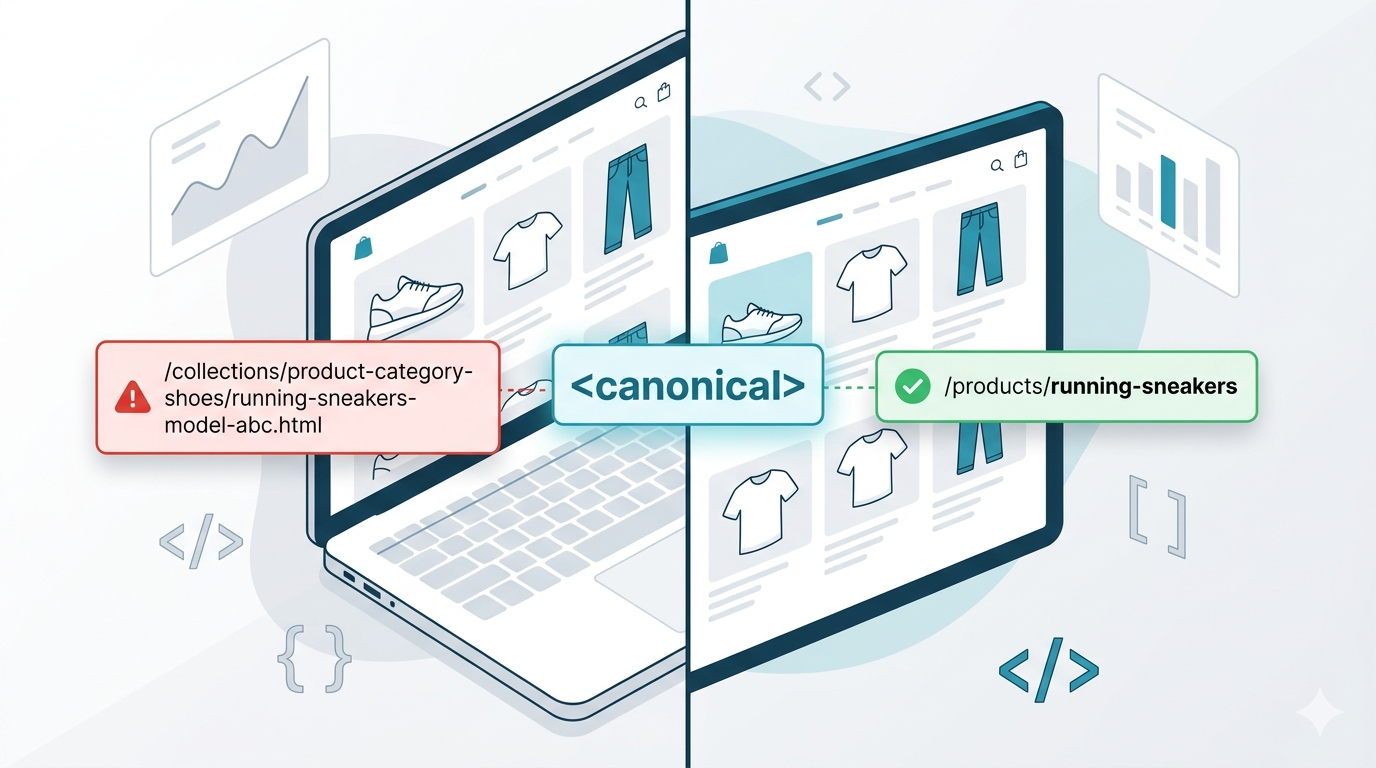
If you own a shopify store concerned about SEO and its ranking, then shopify duplicate collection URLs could be a major reason, now Search Engine Optimization (SEO) requires powerful technical precision for eCommerce.At AdsLectic, we’ve seen how traffic suffers when search engines get confused by a store’s structural technical SEO.  The most common technical issues comes from the shopify’s default structure which is usually the issue of duplicate collection URLs. This step-by-step guide explains why this happens and  how to fix it using canonical tags even if you are a beginner. What Are Shopify Duplicate Collection URLs? In Shopify products can appear in multiple collections. For example, a product may exist in: Due to this, Shopify can generate different URLs for the same product. Example: https://store.com/products/women’s-fashion and https://store.com/collections/festival-season/products/women’s-fashion Both URLs represent the exact same product page. To common users, this may seem normal but search engines treat these as separate URLs. That creates duplicate content issues. Shopify duplicate collection URLs create duplicate content issues that can confuse search engines and weaken SEO signals. Why Duplicate Content Harms Your eCommerce Rankings Shopify duplicate collection URLs can quietly damage your overall eCommerce SEO performance if left unresolved. When multiple links display the exact same content it negatively impacts SEO in several ways:  1. Wasted Crawl Budget Search engine bots have a limited amount of time allotted to spend on reading a website. If bot keeps crawling the duplicate pages, it will end up spending less time on the important content of the website 2. Split Ranking Signals Multiple versions of the same page of your store can make the backlinks, authority and engagement signals get split up, weakening your overall rank . 3. Indexing Confusion Google’s algorithm struggles to select which URL is the right one to appear in search results. Your important links will compete against each other, decreasing your overall visibility. 4. Lower SEO Efficiency Even if Google doesn’t directly penalize the duplicate pages, they reduce the overall efficiency of your Shopify store’s SEO and growth . The Solution: A Canonical Tag Canonical tags are one of the most effective ways to manage Shopify duplicate collection URLs properly. A canonical tag is a part of HTML code placed in the backend of a webpage. It tells search engines which version of a page is the main or preferred one. It looks like this in HTML: <link rel=”canonical” href=”https://store.com/products/women’s-fashion”> Understanding how this works is critical, especially when comparing it to other redirection methods.To get a more deeper understanding of this you can read this guide on canonical vs 301 redirects to see when to use each strategy. When Google crawls such a path this tag signals to Google that all duplicate versions should consolidate ranking signals into the primary URL. For example telling search engines: “These pages are similar, but this one is the main version to prioritize.” How to Check Canonical Tags in Shopify To inspect canonical tags no need to have any technical knowledge, you just need to follow these simple steps. Step 1: Open any product URL Inside a Collection Visit a URL like: https://rstore.com/collections/best-sellers/products/women’s-fashion Step 2: View Page Source Right-click on the page and select: View Page Source Step 3: Search for “canonical” Use: CTRL + F Search for: canonical Now you should see something similar to: <link rel=”canonical” href=”https://store.com/products/festive-clothes”> If the canonical is displaying the clean product URL, your store page setup is correct. Step-by-Step Framework to Fix Incorrect Canonical Tags in Shopify If canonical tags are incorrect, you can fix them through your Shopify theme. Note: Always duplicate your live theme to create a backup file before editing any code. Step 1: Open Theme Code Editor First log into your Shopify admin control panel dashboard then navigate to the Online Store on the sidebar menu and select Themes. Click the Three Dots next to your active theme layout. Select the Edit Code option from the dropdown menu. Online Store → Themes → Edit Code Step 2: Locate the Main Snippet File Look at the left-hand folder directory sidebar to locate your template assets. Search for a file named layout/theme.liquid .Look inside the <head> section. This specific file controls how product links behave inside your collection pages. Step 3: Locate Existing Canonical Tag You may find code like: <link rel=”canonical” href=”{{ canonical_url }}”> This is Shopify’s default canonical setup. However, if your theme has custom logic generating incorrect URLs, replace problematic code with Shopify’s standard canonical variable. Common Shopify Canonical Mistakes Many beginners accidentally make these mistakes while optimizing the SEO of their stores. Here are common mistakes to avoid. Using Apps That Override Canonicals Some SEO apps automatically rewrite canonical tags. If multiple apps manage SEO settings simultaneously, issues can occur. Always check whether an app modifies: Canonicalizing Everything to the Homepage This is a very crucial SEO mistake. Each page should canonicalize to its most relevant version, not the homepage. Blocking Duplicate URLs With Robots.txt Alone Using Robots.txt to block duplicate URLs does not consolidate ranking signals. Canonical tags are still needed. Forgetting About Filtered URLs Collection filtering can generate additional duplicates like: ?sort_by=price These URLs should also be handled properly. How Shopify Duplicate Collection URLs Affect Crawl Budget and Indexing Shopify duplicate collection URLs do more than just create duplicate content. They can also impact crawl budget and indexing efficiency. Search engines allocate a limited crawl budget to every website. When Google repeatedly crawls duplicate product and collection URLs, valuable crawl resources are wasted on unnecessary pages instead of discovering important content. Over time, this can slow down indexing for newly published products, updated collections, and blog pages. For larger Shopify stores with hundreds of products, duplicate URL structures can become a major technical SEO issue. Shopify duplicate collection URLs may also split ranking signals between multiple versions of the same page. This weakens page authority and creates confusion for search engines trying to determine the primary version of a product URL. Using canonical tags correctly helps consolidate these ranking signals and

5 Easy Ways to Fix Shopify Duplicate Collection URLs Using Canonical Tags Read More »

AI SEO

What is llms.txt & AI SEO ? Complete Guide to AI SEO & LLM Optimization in 2026

Artificial intelligence is rapidly changing how people search for information online. With AI-powered search engines, chatbots, and Large Language Models (LLMs) becoming more popular, website owners are now focusing on a new concept called llms.txt. Just like robots.txt helped traditional search engines understand websites, the llms.txt file is emerging as a possible way to guide AI systems and improve website visibility in AI-driven  search experiences. In this guide, you’ll learn what llms.txt is, how it works, why it matters for AI SEO, and how you can create one for your website. What Is llms.txt? The llms.txt file is a text-based instruction file designed to help large language models and AI systems understand how website content should be accessed, interpreted, or prioritized. It is considered an emerging concept in the world of LLM SEO and AI search optimization. The goal is to make websites more AI-friendly and improve their discoverability in AI-generated answers and search experiences. The llms.txt file may eventually become an important part of future SEO strategies as AI search engines continue to evolve. Why Is llms.txt Important? Traditional SEO focuses mainly on Google and other search engines. However, AI tools like ChatGPT, Perplexity AI, and Google AI Overviews are changing how users consume information. Instead of showing only website links, AI systems now generate direct answers by analyzing website content. This is where GEO SEO and AI optimization become important. Using LLMs.txt can help: As AI becomes more integrated into search, websites optimized for AI systems may gain a competitive advantage. How Does the llms.txt File Work? The llms.txt file works similarly to robots.txt but focuses more on AI systems and LLMs rather than traditional search engine crawlers. It may contain instructions related to: The idea behind llms.txt is to create a machine-readable guide for AI systems. Example structure: User-Agent: * Allow: / Preferred-Content: /blog/ This tells AI systems which content areas are most important. robots.txt vs llms.txt Many people compare robots.txt vs llms.txt, but both files serve different purposes. robots.txt llms.txt Designed for search engine bots Designed for AI and LLM systems Controls crawling behavior Guides AI content understanding Traditional SEO focused AI SEO focused Used by Googlebot and crawlers Potentially used by AI systems Blocks or allows indexing Helps AI prioritize content While robots.txt remains essential for SEO, llms.txt may become important for future AI-driven search ecosystems. What Is AI SEO? AI SEO refers to optimizing websites for AI-powered search engines, AI assistants, and Large Language Models. Traditional SEO focuses on rankings in search engines, while AI SEO focuses on: As AI search grows, website owners need to optimize content not only for humans and Google but also for AI systems. How llms.txt Supports AI Search Optimization AI systems process content differently from traditional search engines. They try to understand: The llms.txt file can support AI search optimization by helping AI systems identify: This may improve how AI tools interpret and present website information. How to Create llms.txt If you want to know how to create llms.txt, follow these simple steps. Step 1: Open a Text Editor Use: Step 2: Add Instructions Example: User-Agent: * Allow: / Preferred-Content: /guides/ Preferred-Content: /blog/ Step 3: Save the File Save the file as: llms.txt Step 4: Upload to Root Directory Place it in your website root folder: Best Practices for llms.txt To improve your LLM SEO strategy, follow these best practices: Keep Instructions Clear Use simple and structured formatting. Highlight Important Content Mention: Update Regularly Keep the file updated as your website grows. Combine With Structured Data Use: Focus on Helpful Content AI systems prefer: Common Mistakes to Avoid Here are some common mistakes website owners make with AI optimization: Ignoring AI Search Trends AI search is growing rapidly, and websites should prepare early. Overcomplicating Instructions Keep your llms.txt file simple. Keyword Stuffing Modern AI systems prioritize quality and context over keyword repetition. Forgetting Technical SEO AI optimization should work alongside: Is llms.txt Official? Currently, llms.txt is still an emerging concept and not yet a universal web standard like robots.txt. However, interest in: is increasing rapidly. Many SEO experts believe AI-focused optimization files may become more important in the future as AI search evolves. Future of GEO SEO and AI Optimization The future of SEO is moving toward: This is where GEO SEO (Generative Engine Optimization) becomes important. Websites that adapt early to AI search optimization may gain: The llms.txt file could become part of a broader AI optimization strategy in the coming years. Final Thoughts The llms.txt concept represents a new direction in modern SEO and AI optimization. While still evolving, it reflects the growing importance of optimizing websites for AI systems and Large Language Models. As AI-powered search continues to grow, businesses and website owners should start focusing on: Learning how to create and use an llms.txt file today can help future-proof your website for the next generation of search technology. FAQs What is llms.txt? llms.txt is a proposed text file designed to help AI systems and Large Language Models understand website content more effectively. Is llms.txt the same as robots.txt? No. robots.txt controls search engine crawling, while llms.txt focuses on AI content understanding and AI SEO. Why is llms.txt important for AI SEO? It may help AI systems identify important content and improve AI search optimization. How do I create an llms.txt file? Create a plain text file named llms.txt, add AI-related instructions, and upload it to your website’s root directory. Does Google use llms.txt? Currently, llms.txt is not an official Google standard, but AI-focused optimization is becoming increasingly important. Bodh RajBodh Raj is a Digital Marketing Manager with around 5 years of experience in SEO, content marketing, Meta Ads, Google Ads, and digital growth strategies. He has worked on website optimization, content planning, lead generation, and online marketing campaigns across different industries, helping businesses improve their digital presence and organic visibility.

What is llms.txt & AI SEO ? Complete Guide to AI SEO & LLM Optimization in 2026 Read More »

AI-powered vibe coding for website and app development in 2026

Vibe Coding in 2026: How AI Is Changing Website and App Development for Small Businesses

Most small business owners do not care about code at first. They care about bookings, leads, payments, customer support, and getting work done faster. If a website helps bring more inquiries, it matters. If an app saves staff two hours every day, it matters. The technology behind it only becomes important when things break, slow down, or cost too much. That is why Vibe Coding in 2026 has become such a practical topic. AI coding tools are changing how websites, apps, dashboards, landing pages, and internal business tools are built. A founder can now turn a rough idea into a working prototype. A marketer can test landing page layouts before sending them to a developer. A freelancer can create better first drafts without starting from a blank screen. This does not mean development has become effortless. It has not. AI speeds up the first version, but human judgment still determines whether the product is useful, safe, and ready for real customers. What is vibe coding? Vibe coding means using plain language prompts to guide AI coding tools. You explain the feature, design, flow, or business goal. The AI helps create code, page layouts, app screens, forms, or logic. It is useful for fast drafts and prototypes, but the final work still needs testing, cleanup, and human review. What Is Vibe Coding? Vibe coding is a simple idea. Instead of writing every line of code by hand, you describe what you want the software to do. The AI tool then helps create the structure, layout, code, or logic. For example, a salon owner might write: “Create a booking landing page for a salon with services, prices, customer reviews, an appointment form, and an FAQ section.” An AI coding tool can generate a first version of that page. It may create the section layout, form fields, button text, basic styling, and even SEO-friendly headings. That first version will not be perfect. The services may need editing. The booking form may need real validation. The design may feel too plain. But it gives the business a starting point. That is the real value of vibe coding. It helps people move from idea to draft much faster. A good vibe coding prompt usually includes: The better the instruction, the better the output. Why Vibe Coding Is Growing in 2026 Vibe coding is growing because small businesses want speed without wasting money. A startup may need an MVP before meeting investors. A local service business may need a landing page before running ads. A shop owner may want a simple order tracking system because WhatsApp messages are getting messy. Traditional development still has value, but it can feel slow in the early idea stage. AI-assisted development makes that first stage lighter. You can test an idea, change the layout, add a form, or try a new app screen without waiting for a full development cycle. There is another reason, too. Business owners are now more comfortable using tools. They already use website builders, CRM platforms, automation apps, email tools, and no-code systems. So AI web development tools feel like the next step, not a completely new world. No-code and low-code tools made software easier to build. AI coding tools are now making it easier to start custom development. This is especially useful for small businesses because they often do not need a huge software system on day one. They need something that works, solves one problem, and can improve over time. How AI Helps in Website Development AI website development is useful before the first line of code is even written. A business owner can use AI to plan the website structure. It can suggest pages, sections, navigation, blog categories, service blocks, FAQs, and calls to action. This is helpful because many websites fail before design starts. The problem is not always bad code. The problem is unclear planning. AI can help create: Take a local pest control company as an example. They may need a homepage, city-specific service pages, an emergency booking form, customer reviews, pricing guidance, and answers to common questions. Earlier, the owner may have explained this in a call and waited for a designer to prepare the first draft. Now the team can use AI to create a rough structure in a few hours. The developer can then clean the code. The SEO person can improve the content. The designer can make it look branded. The business owner can check whether the page explains the service clearly. That is a better workflow. AI does not replace the website team. It removes some of the blank-page delay. How AI Helps in App Development AI app development works in a similar way. Many small businesses do not need a complex mobile app at the start. They need a simple tool for one clear task. That task could be booking management, customer follow-up, order tracking, staff reporting, lead management, or invoice updates. AI coding tools can help plan: Imagine a small home repair business. The owner gets service requests from calls, WhatsApp, website forms, and referrals. After a point, tracking everything manually becomes frustrating. A small internal CRM could help. With vibe coding, the owner can describe the workflow: “Create a simple CRM where staff can add customer details, service type, appointment date, payment status, technician name, and follow-up notes.” AI can suggest the app screens, database fields, form layout, and admin dashboard. It may also generate basic code. That is useful. But it is not the final product. A developer still needs to check login security, data storage, user roles, backups, and privacy. If payments or customer data are involved, there is no shortcut. Vibe coding is best used to shape the app idea quickly. The serious parts still need expert review. Vibe Coding vs Traditional Development Vibe coding and traditional development are not the same thing. Traditional development starts with planning, design, architecture, coding, testing, and deployment. It is slower, but it gives better control for serious projects. Vibe coding starts

Vibe Coding in 2026: How AI Is Changing Website and App Development for Small Businesses Read More »

AI How  Search Is Changing SEO for Educational Websites

AI How  Search Is Changing SEO for Educational Websites

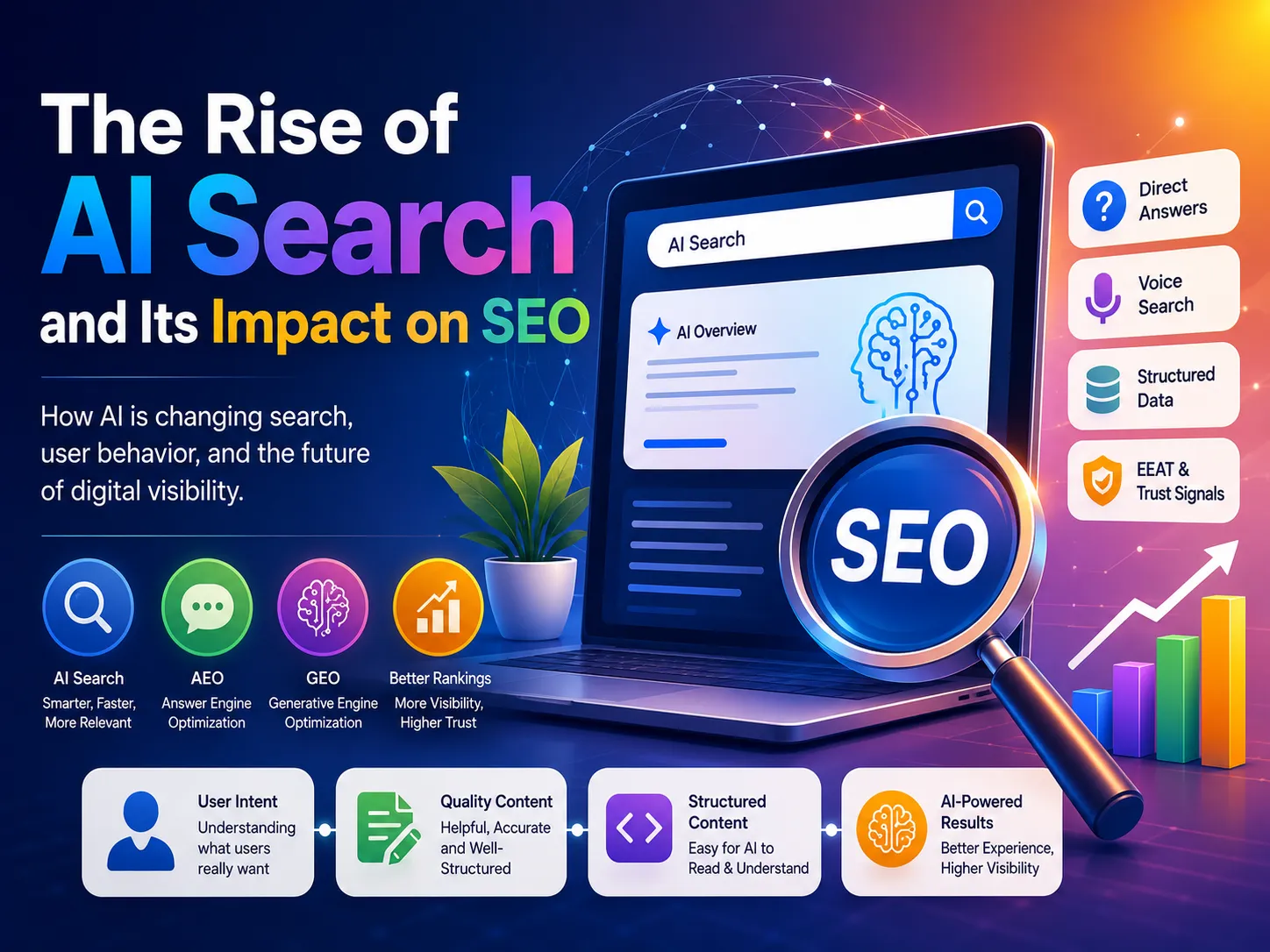
Search engine optimization has entered a completely new phase. For years, educational websites relied heavily on traditional SEO tactics such as keyword density, backlink quantity, and ranking positions to attract organic traffic. While those factors still matter, the rise of AI-powered search experiences is rapidly changing how users discover information online. Search engines are becoming more conversational, predictive, and intent-focused. Instead of simply displaying a list of links, AI-driven systems now generate summaries, answer questions directly, and prioritize content that demonstrates expertise and usefulness. This shift is forcing educational websites to rethink how they create, structure, and optimize content. Institutions that continue relying on outdated SEO practices may gradually lose visibility, while those that adapt to AI-driven search behavior can strengthen their authority and reach wider audiences. Search Behavior Is Becoming More Human One of the biggest changes in modern SEO is the way people search. Traditional search queries were usually short and keyword-focused: Today, users interact with search engines more conversationally. They ask complete questions such as: AI-powered search systems are designed to understand context, user intent, and meaning rather than relying only on exact-match keywords. This means educational websites must shift their focus from keyword stuffing to intent-driven content creation. Articles should answer real questions clearly, naturally, and comprehensively. The websites performing best in AI-assisted search environments are often the ones that explain concepts in simple language while providing useful insights readers can apply immediately. Why Topical Authority Matters More Than Rankings Many websites still publish random blog posts targeting disconnected keywords. While this approach may generate occasional traffic, it rarely builds long-term authority. AI-powered search systems increasingly evaluate whether a website demonstrates consistent expertise within a subject area. This concept is often referred to as topical authority. For educational websites, this means creating clusters of related content around a specific niche instead of isolated articles. For example, an educational website focused on digital marketing could publish connected content around: When search engines repeatedly associate a website with useful information on a subject, the site becomes more trustworthy in both traditional rankings and AI-generated responses. Educational brands that consistently publish high-quality, experience-based content are more likely to appear in AI Overviews and conversational search experiences. The Rise of Zero-Click Searches Another major shift affecting SEO is the growth of zero-click searches. In many cases, users now receive direct answers from search engines without clicking a website link. AI-generated summaries, featured snippets, and knowledge panels often provide quick information immediately within search results. For educational websites, this can seem alarming because fewer clicks may lead to lower traffic numbers. However, visibility still matters. Being referenced in AI summaries helps establish credibility and brand recognition. Educational institutions that consistently publish reliable and structured information increase their chances of becoming trusted sources for AI-generated responses. The goal is no longer just generating clicks. Modern SEO is increasingly about becoming a recognized authority within your niche. Helpful Content Outperforms Promotional Content One of the most important changes in modern search algorithms is the growing emphasis on genuinely helpful content. Educational websites often make the mistake of turning every article into a promotional page. Overusing phrases such as “best institute,” “top course,” or “guaranteed success” can reduce trust and make content appear sales-driven. AI systems are becoming increasingly effective at identifying whether content is educational or purely promotional. Readers also respond more positively to practical guidance than to aggressive marketing language. For example, an article explaining: will usually build more credibility than a page focused entirely on selling a course. Ironically, educational content that teaches effectively often generates stronger brand trust and better conversions over time because users begin viewing the institution as a reliable source of expertise. User Experience Is Now a Core SEO Factor SEO is no longer limited to keywords and backlinks. User experience has become a critical ranking factor. Search engines increasingly evaluate how users interact with content. If visitors quickly leave a page because it is difficult to read or poorly structured, visibility may decline over time. Educational websites should prioritize: Most students now consume content on smartphones. Long paragraphs, cluttered layouts, and complicated jargon can significantly reduce engagement. Instead, content should include: The easier information is to consume, the better the user experience and the stronger the long-term SEO performance. Conversational Content Is Becoming More Valuable AI search engines are trained on natural language patterns. As a result, conversational and human-centered content is becoming more valuable than robotic SEO writing. Many older SEO strategies encouraged writers to repeat exact keywords unnaturally throughout an article. Today, that approach often reduces readability and trust. Modern educational content performs better when it sounds authentic and informative. Instead of writing:“Best SEO course for SEO beginners who want SEO training,” Effective content explains: Natural writing improves user engagement and helps search systems better understand the context of the content. The Importance of EEAT in Educational SEO Google has increasingly emphasized EEAT: These principles are especially important for educational websites because students rely on online information to make important learning and career decisions. Educational institutions can strengthen EEAT by: Articles based on real-world experience often perform better than generic content rewritten from other websites. Adding practical examples, original insights, and industry observations can significantly improve credibility. Structured Content Improves AI Visibility AI systems prefer content that is organized clearly and logically. Educational websites can improve visibility by: For example, headings such as: are more effective than vague or overly creative headings that provide little context. Structured content helps both users and AI systems quickly identify the purpose and relevance of information. Why Educational Websites Must Adapt Quickly AI-assisted search is not a temporary trend. It represents a long-term transformation in how users interact with information online. Educational websites that adapt early can build stronger visibility, authority, and audience trust. Those relying entirely on outdated SEO tactics may struggle to remain competitive. The future of SEO will likely focus less on manipulating algorithms and more on creating genuinely useful digital experiences. This means

AI How  Search Is Changing SEO for Educational Websites Read More »

Top 10 Free Keywords Research Tools

Top 10 Free Keywords Research Tools

There’s no shortage of tools purpose-built for keyword research (literally hundreds of them), and they run the gamut from beginner-focused to highly advanced. They also range from totally basic and unhelpful to super valuable. When done right, the best keyword research tools simplify and streamline your workflow—they make it easier to find the right keywords to target and give you the data you need to actually rank for them. But they shouldn’t require you to empty out your bank account and sell your first-born child in order to access that data. That’s why using free SEO tools for keyword research has become a smart choice for beginners and professionals who want powerful insights without the heavy price tag.  1. Google Keyword Planner ( keyword Research Tool) Google Keyword Planner has long been considered the gold standard for keyword research, primarily because it’s the only tool that pulls data directly from Google’s advertising platform. It’s also one of the most reliable free SEO tools, making it accessible for beginners and professionals who want accurate keyword insights without paying for expensive software. While it remains a powerful option, especially for PPC campaigns, my extensive testing reveals some significant limitations compared to specialized keyword research tools. The tool’s greatest strength lies in its direct access to Google’s advertising data. You get real search volume ranges, bid estimates, and competition levels straight from the source. I particularly appreciate its ability to show historical trends and provide location-based data, which can be invaluable for seasonal planning and local SEO campaigns. However, there’s a catch – you need to create a Google Ads account to access the tool, and non-advertisers only receive broad search volume ranges rather than specific numbers. While Answer Socrates might not provide direct search volumes, its ability to generate over 1,000 related keywords and organize them into topic clusters offers far more value for content planning and SEO strategy. In my experience, Keyword Planner’s keyword suggestions tend to be limited and heavily focused on commercial intent. It often groups similar keywords together, which can mask valuable long-tail opportunities. Compare this to Answer Socrates, which uses recursive search to uncover deeper layers of related queries and questions that people actually ask. The mobile vs. desktop breakdown feature is useful, but without the advanced clustering capabilities of Answer Socrates, you’ll spend considerable time manually organizing keywords into a coherent content strategy. I’ve found that what takes hours in Keyword Planner can be accomplished in minutes with Answer Socrates’s automated clustering.  2. Google Autocomplete While some might not consider this a tool, it’s the first thing I start with every time I do keyword research. Google Autocomplete means simply going to google.com (ideally in an incognito window) and slowly typing out a topic that you want to write about. As you type, you want to look at the autocomplete options. These are great keyword ideas because they are things that people are searching for in real time. And often, some paid SEO keyword research tools don’t even show these keywords because they might be brand new. This strategy is how I have been able to drive some of my highest performing blog posts. And I combine this with Google Keyword Planner to find hidden gem keywords (mentioned earlier in this post). Anyways, this tool is probably the best one out of any keyword research tool because it’s actually how people are searching for things in Google. What is autocomplete in Google Search? Autocomplete in Google Search is simply typing in a topic and seeing what results show up to autocomplete the keyword. These are things that people are searching for in real time, so they often can change based on search trends and what’s currently happening in whatever topic that you’re writing about. Google Autocomplete pros and cons Here are some of the pros and cons of using Google Autocomplete for keyword research. Pros: Cons: That’s it, there really are no cons to using Google Autocomplete. It’s free, always up to date, and shows you exactly what people are searching for right now.  3.  Semrush Semrush pros: Semrush cons: If you’re looking for something more advanced, Semrush shares a ton of keyword data and makes it easy to dig into the details, like SERP features (featured snippet, reviews, site links, image pack, and so on) and granular analysis of current results. Semrush offers a broad range of keyword research tools, too, from the standard traffic and search volume data to content-driven keyword research and competitive keyword gap analysis. That range is what really sets Semrush apart, including the standard Keyword Overview, the Keyword Magic Tool for exploratory keyword research, a Keyword Manager and position tracking, competitive Keyword Gap analysis, keyword cannibalization report, and Organic Traffic Insights, which—when connected with your Google Analytics or Search Console account—can uncover those famously tricky “not provided” keywords. As an added bonus, the SEO Content Template tool lets you automatically create a content brief and optimize content as you write by grading your content in real-time for readability, originality, tone of voice, and SEO: it uses a handy bullseye graphic to help you strike the right balance. Plus, the tool visually checks off SEO recommendations (like using your target and related keywords and adding relevant links and images) as you go. The app’s Copilot AIwill even make proactive recommendations: flagging when your rankings drop for tracked keywords, for example, making technical SEO recommendations, and prompting you to add additional information to help fine-tune your data. All of this means that upgrading will cost you a pretty penny—but you can use it for free at low volumes to start.  You can do more with Semrush by connecting it with Zapier, turning keyword insights into orchestrated workflows across your business. For example, you can automate site edits and re-crawls. At the same time, AI can flag keywords with sudden ranking drops, create prioritized tasks in your project management tool, and update campaign dashboards with real-time data.  4. KWFinder KWFinder pros: KWFinder

Top 10 Free Keywords Research Tools Read More »