

Digi Maniac

Vandana

Vandana is a Content Writer and Digital Marketing Executive with 1+ years of experience in SEO content writing, website content, and digital marketing. She specialises in creating engaging, SEO-friendly content, keyword research, and content planning to help brands improve their online presence and audience reach.

Digital marketing attribution in the age of AI search

Why Digital Marketing Attribution Is Getting Harder in the Age of AI Search

Digital marketers have long been trying to solve a rather obvious task: where did this customer come from? Once upon a time, it seemed like an obvious question. One clicked an ad on Google, visited a website, filled out a form, and finally became a customer. Someone else found a business on social media or via organic search results. Analytics tools helped track many of such actions and understand how it worked. However, this image gets harder and harder to keep. Search is changing, and people no longer use a predictable sequence of actions starting with a search query and ending up on a website. They can ask an AI service for some recommendations, read the answer without any clicks, look for a company separately, view their ratings, watch a video, and only after all of that visit the website. When this person becomes a lead or a customer, it will be quite hard to determine the source of the influence. Here is a new task for digital marketers: how do you measure the efficiency of marketing when the customer journey is unpredictable? Attribution Was Never as Simple as It Looked Digital marketing attribution can be described as a system to identify what marketing actions led to a conversion. Think of a customer who comes across a business via an Instagram ad. After a couple of days, the customer does some searches on Google. Two blogs later, the customer leaves the website, returns after a week via an organic search link, and submits an inquiry. Whose credit is it? Based on last-click attribution, it may go to the organic search since it was the last point of contact before the customer converted. The first-click attribution model will give the credit to Instagram. Multi-touch will attribute the credit to multiple points. All the above models could be correct since they just look at the customer journey from different perspectives. Now imagine adding AI to the customer journey. This will especially be critical for a digital marketing agency since more clients are interested in knowing the origin of their leads as well as how their customers find them. A Customer Can Be Influenced Without Clicking One of the main differences that AI-driven search introduces is that not all interactions lead to visiting the website. Imagine someone who wants to purchase accounting software. This person asks an AI search engine which platforms are appropriate for use by a small business. Several brands are recommended. But the person doesn’t click on any link, as he or she only researches the product. Two days later, this person searches for one of those brands on Google. This person reads various reviews, visits the website, compares prices, and finally asks for a demo. If you look at the report only, then the conversion looks like a result of branded organic search. But maybe the brand became known to the person due to an AI search? It cannot be said that AI made the person buy the product, but it might have influenced his or her decision in some way. The Number of Discovery Channels Is Growing  The use of artificial intelligence search is not a replacement for all of the current marketing channels. Instead, it is yet another addition to a growing list of choices that may present a potential customer with a brand name. This may happen via Google Search, YouTube, Instagram, LinkedIn, review sites, industry publications, forums, emails, ad channels, or an AI-powered channel. There may be some overlap between the channels used. The buyer does not care about attribution models. They simply accumulate information until they feel ready to make a decision. But marketers do have to deal with the numbers. That is why the traditional question, “Which channel converted the buyer?” does not always give the complete picture. “What was the buyer’s journey before conversion?” would be a much more relevant one. Zero-Click Searches Make the Picture Even Less Clear A number of opinions have been expressed about zero-click searches, while AI search adds another aspect to the problem. A person can receive a relevant answer without going to the site. For the website owner, such a situation looks quite contradictory: a person found something helpful on his site but still has no visits registered by Google Analytics. However, it doesn’t mean that the site did not benefit from being recognized. Brand awareness can be formed without a direct visit. A person can remember a brand name, share it with a colleague, search later, or even purchase from the site later. AI Search Has Added Another Layer to the Customer Journey Classic searches followed a predictable flow of events. One had a query, typed it into a search engine, scanned the results, clicked on a website, and then continued researching on that page. AI-based search will turn it into a different story. For example, one could ask a search assistant a specific question and get an answer compiled from several sources. The customer might find out what needs to be found out based on the answer received and not have to click on any of the websites just yet. At some point, he or she may perform a search for one of the companies from the answer received previously. It would be another isolated search in analytics reports. And this is where attribution becomes complicated. The first AI-powered search could contribute to the awareness creation process, but the visit to the website could be attributed to a different traffic channel altogether. AI Citations Are Measurable, but They Don’t Tell the Whole Story There is definitely one part of AI-related traffic that can be measured more precisely. In some cases, AI searches return links to other websites, and people click on them. As OpenAI claims, for instance, publishers have the ability to get referral traffic from ChatGPT with utm_source=chatgpt.com used for referrals. It gives the marketer something to track. If a user visits the site via ChatGPT, it is possible to detect the

Why Digital Marketing Attribution Is Getting Harder in the Age of AI Search Read More »
Frame-by-frame animation showing individual animation frames

What Is Frame-by-Frame Animation? A Complete Beginner’s Guide

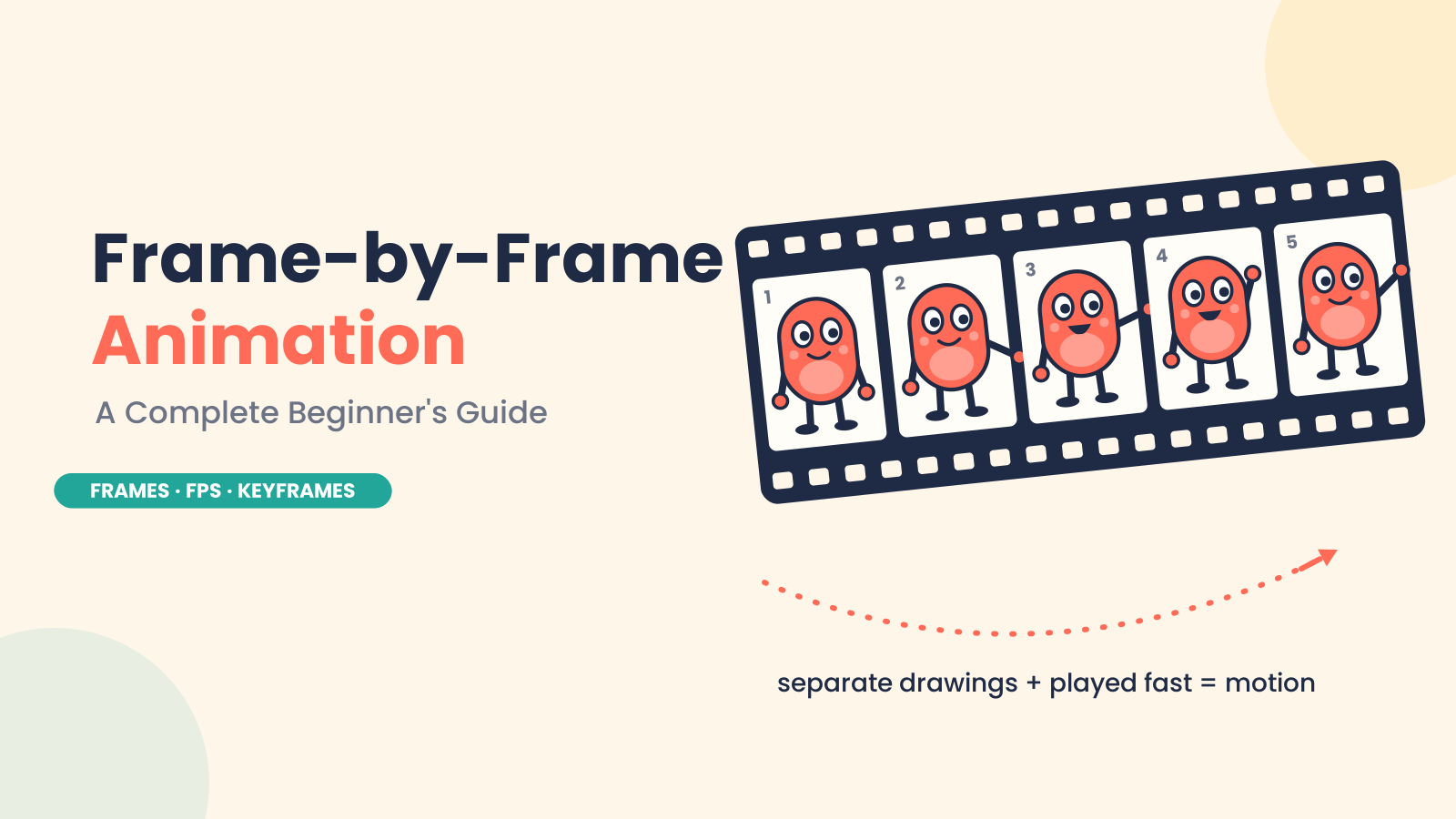
Introduction Frame-by-frame animation is one of the oldest and most expressive ways to produce movement. Here, an animator draws each moment of an action separately. When these drawings, or frames, are shown rapidly, one after another, they give the illusion of motion. Imagine a character blinking. One frame is eyes open, one frame is eyes half-closed, and one frame is eyes closed. The blink looks natural when the frames are played in sequence. It’s the same for a waving hand, a bouncing ball, or a character raising their arm. In 2D animation, this technique is often used where every movement is carefully built frame by frame. It takes time and patience, but it gives the animator a great deal of control over timing, expression, and personality. Even today, frame-by-frame animation is still relevant. The basic concept remains the same: separate images create movement when played in order. However, modern software has accelerated the animation workflow. This is why this method is used by beginners, professional animators, and studios to produce expressive and memorable animation. What Is Frame-by-Frame Animation? Frame-by-frame animation is a technique where movement is created by drawing or changing each frame individually. The animator does not depend on automatic movement. However, the animator makes separate images for different moments of an action. A frame is a still image that is used in animation. When you play lots of frames fast in order, our eyes see them as movement. FPS, or frames per second, is the number of frames displayed in one second. For example, 24 FPS stands for 24 frames per second. Animators also use on ones and on twos. Animating on ones means each drawing appears for one frame, and this makes for a smoother motion. Animating on twos means each drawing two frames. This uses fewer drawings, but still looks natural in many types of 2D animation. A Little Bit of History: Where Frame-by-Frame Animation Began Frame-by-frame animation began with artists drawing movement by hand, one image at a time. Each drawing was slightly different from the last. When those drawings were shown quickly in sequence, the character or object appeared to move. One of the first animators to help prove the power of this technique was Winsor McCay, especially with his animated film Gertie the Dinosaur in 1914. But it was Walt Disney and the Disney studio that made animation frame by frame really popular around the world. Disney used this method to create expressive characters, smoother movement, and emotional storytelling in animation. This process came to be called traditional animation. In early studios, artists first sketched scenes on paper. Later, many productions used cel animation, where characters were painted on transparent sheets (called cels) that were laid over painted backgrounds. This avoids redrawing all the background again, and instead reduces background redraws. As animation production grew, studios developed a more systematic workflow. The senior animators drew the key poses, called the key drawings or keyframes. Then other artists would draw the frames in between to smoothly connect those poses. This meant the animation worked faster and looked clean and natural. Today, most frame-by-frame animation is created digitally, but the principle is the same. Whether the animator is drawing on paper or using software, movement is still built frame by frame. The tools have changed, but the principle of frame-by-frame is still important in 2D animation. Types of Frame-by-Frame Animation Traditional Hand-Drawn Animation The classic form of frame-by-frame animation is traditional hand-drawn animation. This technique involves drawing each frame by hand. Generally, the key frames of the action are drawn first. Important poses are called keyframes. Then artists draw the in-between drawings to bridge one key frame to the next. For example, a character may raise a hand. The keyframes may show the hand down and then fully raised. The intermediate frames show the arm moving up in steps. This method is very similar to classic 2D animation and was used in many old animated films and cartoons. Digital Frame-by-Frame Animation Digital frame-by-frame animation follows the same basic process, but the drawings are made directly inside animation software. Animators don’t draw on paper anymore. They draw on a tablet or computer screen. Digital tools make the animation workflow easier. Animators can layer, undo, copy frames, adjust timing, and see the movement right away. Onion skinning and similar techniques help, providing a faint image of previous and next frames so you can draw smooth movement. The process is still frame by frame, but it is faster and more flexible because you don’t need physical paper or cells. Stop-Motion Animation Frame-by-frame is also used in stop-motion animation, but it uses real objects instead of drawings. Animators move puppets, clay models, toys, or objects a fraction of an inch, then take a picture. They move them again and take another picture. When all those pictures are shown one after another, the object looks as if it moves by itself. The medium is different from hand-drawn or 2D digital animation, but the idea is the same: small changes from one frame to the next create motion. Frame-by-Frame Animation vs. Tweening You can create motion with frame-by-frame animation or with tweening. The process behind each is quite different. In frame-by-frame animation, the animator works on each individual frame. This allows you much more control, especially with detailed or expressive movement. For example, the animator can change the mouth, cheeks, shoulders, head movement, and timing frame by frame when a character is laughing. These small details add individuality to the character and make the action seem more organic. Tweening is another matter. The animator sets a start and end keyframe, and the software fills in the motion between them instead of moving every single frame. Tweening is very quick when it comes to actions, like moving an object, making it bigger or smaller, turning it around, or making it appear and disappear. For instance, if a box has to go from one edge of the screen to the other, the

What Is Frame-by-Frame Animation? A Complete Beginner’s Guide Read More »

How to edit long YouTube videos faster with AI

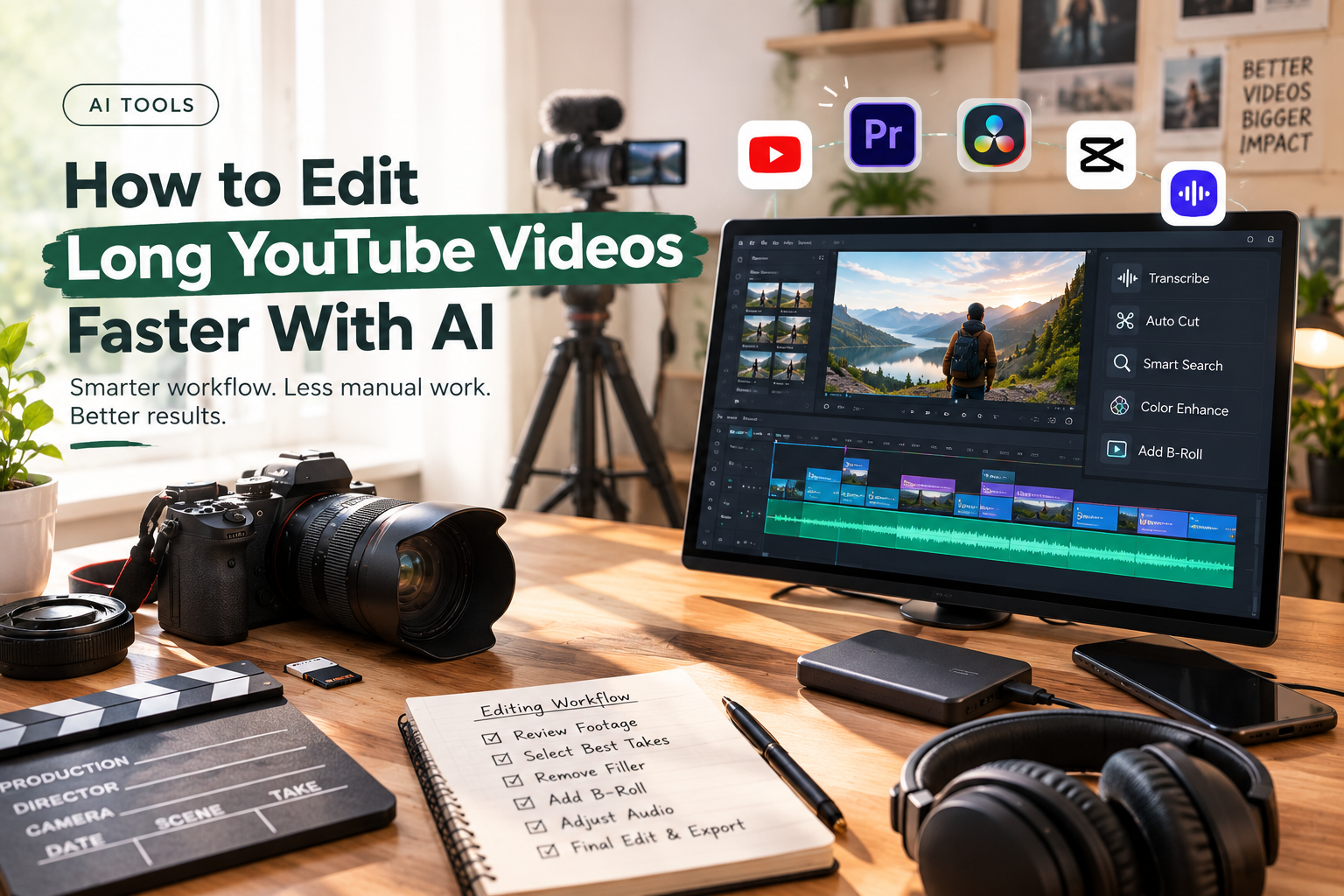
How to Edit Long YouTube Videos Faster With AI

An Edit long YouTube videos rarely becomes difficult because of one complicated editing task. The time disappears in dozens of small decisions: finding the right take, watching another version of the same answer, removing a false start, searching for B-roll, tightening a transition, fixing uneven audio, and checking whether the story still works after every cut. AI can help with much of that work, but the most useful approach is not to ask it to make the entire video for you. A better workflow gives AI the repetitive parts of post-production while the editor stays responsible for the story. That distinction becomes especially useful for interviews, podcasts, tutorials, reviews, documentaries, and other videos that regularly run 20, 30, or 60 minutes. Here is how to build that workflow. Start Where the Time Actually Goes Before adding AI to an editing process, identify the parts of the job that are consuming the most time. For many long-form videos, the bottleneck is not colour grading or adding transitions. It is footage review. Imagine recording a one-hour interview with three takes of several answers. Add a second camera, B-roll, a few screen recordings, and some pickup shots. The editor now has a large amount of material to inspect before deciding what belongs in the timeline. That first pass can be reduced with AI. Instead of treating every clip as something that has to be watched from beginning to end, use tools that can understand the contents of the footage and help locate usable material. The objective is simple: get from raw media to an editable first timeline faster. Give AI an Editorial Brief, Not Just a Command The quality of an AI-assisted edit depends partly on the quality of the direction it receives. “Edit this interview” leaves too much open to interpretation. A useful brief might say: “Keep the strongest answer for each topic, remove repeated explanations and false starts, preserve useful stories, and keep the speaker’s natural delivery. Aim for a concise but complete discussion rather than the shortest possible version.” That gives the editing system an editorial framework. You can also define things such as the intended audience, approximate duration, important topics, sections that should be retained, and material that can be removed. This does not mean the AI understands the story exactly as an experienced editor would. It means the editor has given it enough context to perform the mechanical parts of the first pass more effectively. Let the First Cut Be Imperfect One of the biggest workflow changes AI can introduce is making the first assembly less expensive. A traditional first pass might involve watching every take, comparing performances, cutting unwanted material, and building the sequence manually. An AI editing agent can take on some of that initial assembly. The invideo editor is a web-based video editor that allows you to bring footage into a timeline-based project and give an editing agent instructions for how the material should be assembled. A script or transcript can be added when available. The agent can review the footage, select usable takes, remove repetition and filler, and place the selected material into an editable timeline. That last part matters. The goal is not to receive a mysterious finished video and hope the decisions are correct. The first assembly gives the editor something concrete to inspect. Weak selections can be replaced. Sections can be shortened. The order can change. Think of it as moving the starting point of the edit forward. Make Footage Searchable Long-form projects become particularly slow when the editor knows a useful clip exists but cannot remember where it is. You might remember that someone talked about pricing around the middle of an interview. Or that there was a shot of a particular product somewhere in three hours of camera footage. This is where semantic footage search becomes useful. Instead of searching filenames or manually scrubbing through clips, describe the moment you need. Depending on the editing system, AI can help identify dialogue, people, actions, objects, scenes, or other meaningful elements. That changes the editing process from: “Where is that clip?” to: “Find the moment where the guest explains how the product is used.” For large projects, that difference can remove a surprising amount of friction. Treat the Timeline as the Source of Truth Once AI has assembled a first version, move back into the timeline. This is where creative judgment becomes more important than automation. Watch the sequence from the beginning. Look for places where the edit technically works but does not feel right. Maybe the AI chose the cleanest take, but another take has better energy. Maybe it removed a pause that gave the speaker’s answer some weight. Maybe two sections are logically correct but should appear in the opposite order. These are editorial decisions. An AI editing workflow should make them easier to make, not remove them from the process. This is also why timeline-based AI editing is different from simply generating a video. The editor can see the actual cuts and continue working with them. Use AI for the Small Decisions That Add Up After the main structure is in place, there are dozens of smaller tasks that can still consume time. This is where targeted AI assistance becomes useful. Ask it to: None of these tasks necessarily defines the creative identity of the video. But together, they can occupy a large portion of an editor’s day. The useful principle is to automate the execution, while retaining control over the decision. Don’t Cut Long Videos Just to Make Them Shorter AI makes it easy to remove material. That does not mean every long-form video should become aggressively fast. A 40-minute educational video may need context. An interview may need pauses. A documentary may benefit from a slower transition between ideas. The question is not whether a section can be removed. Ask whether removing it makes the video better. A useful review pass focuses on four things: Repetition If the same idea is explained three times, keep

How to Edit Long YouTube Videos Faster With AI Read More »

5 Best AI Editing Tools for Long-Form Video

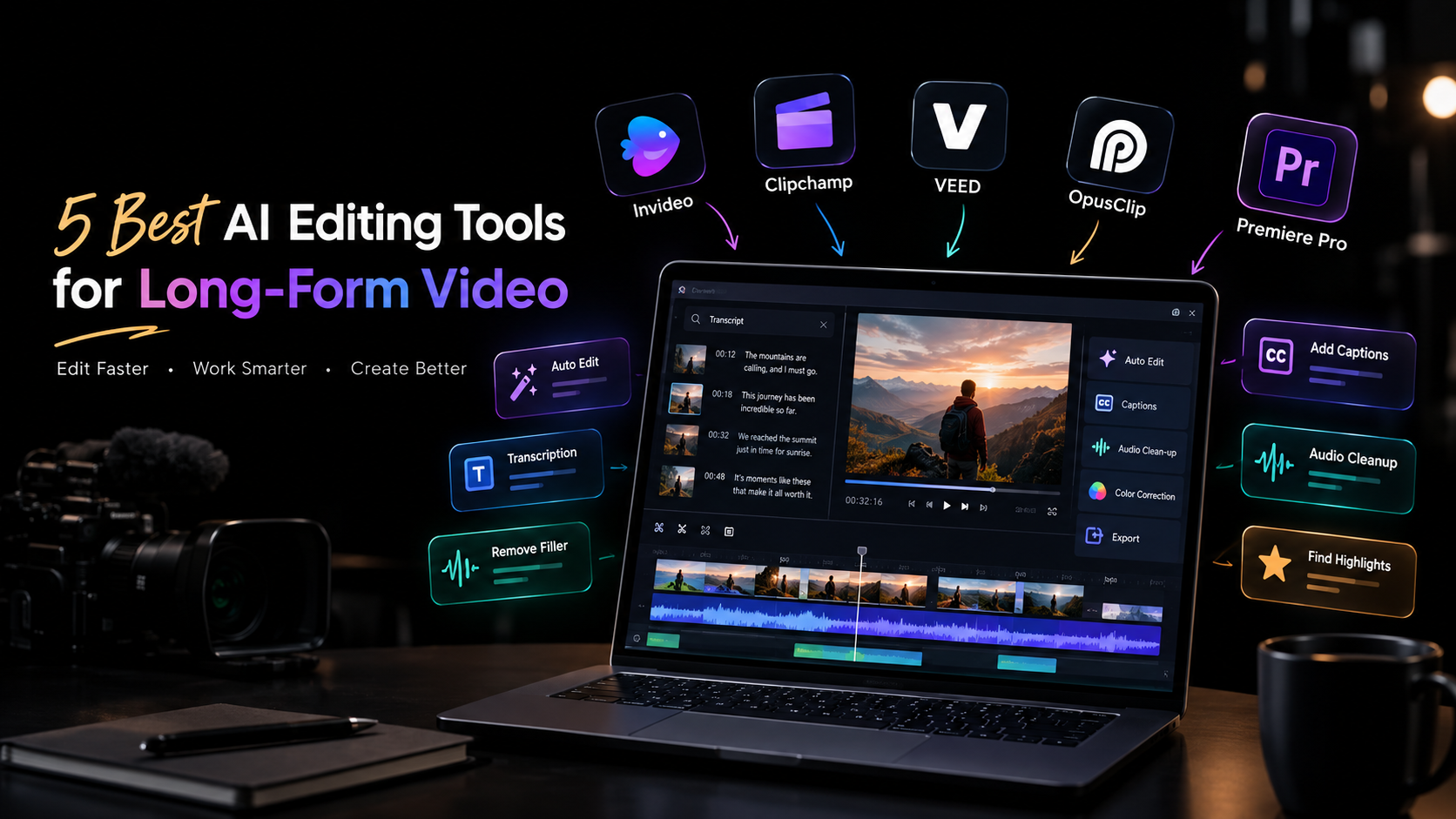
5 Best AI Editing Tools for Long-Form Video

Long-form video editing becomes difficult when the footage starts piling up. A one-hour interview can contain multiple takes, pauses, repeated answers, background noise, and sections that never make the final cut. A documentary or YouTube production can create an even larger organizational problem. AI editing tools can help reduce that workload. Depending on the platform, they can search transcripts, remove filler, assemble footage, clean up audio, generate captions, or identify shorter clips within a longer recording. But not every AI editor is built for the same kind of work. Some focus on traditional timeline editing, others are designed around browser-based collaboration, and some specialize in turning long recordings into short-form content. Here are five tools worth considering. What to look for in an AI editing tool Start with the part of editing that consumes the most time. If you spend hours reviewing footage, look for AI-powered search, take selection, and assembly. If your projects are mainly interviews or podcasts, transcription and dialogue editing may matter more. For professional productions, timeline control, color grading, audio tools, and multicam workflows become important. Also consider what happens after AI makes its changes. Long-form projects rarely stay unchanged, so being able to inspect, modify, and refine an automated result is just as important as the automation itself. 1. Invideo Editor Invideo editor uses AI editing agents to work directly inside a professional timeline. Its agentic assembly workflow focuses on the early stage of long-form editing, where hours of raw footage need to become a usable base cut. Upload your footage, add a script or transcript if available, and describe the structure you want. The agent can review takes, remove repetition and filler, and assemble selected footage into an editable timeline. It can also work with multicamera material and create a layered cut. The workflow continues beyond assembly. Editors can manually refine the timeline or give the agent additional instructions. For finishing, the editor includes color wheels, exposure and contrast controls, temperature, tint, curves, LUTs, qualifiers, saturation controls, and waveform scopes for detailed color work. 2. Clipchamp Microsoft Clipchamp takes a more accessible approach to video editing, making it suitable for creators, teams, and users who want to edit without adopting a complex professional application. Its browser-based workflow supports common editing tasks alongside AI-assisted features such as automatic captions, text-to-speech, and tools for working with recorded content. These features can be useful when turning longer recordings into finished videos for presentations, social channels, or internal communication. For long-form projects, Clipchamp makes sense when straightforward editing and easy access matter more than advanced post-production control. It can handle the practical work of assembling footage, adding text and audio, and preparing content for distribution. Editors working on highly complex timelines may eventually need more specialized tools, but Clipchamp offers a relatively simple starting point for longer creator and business videos. 3. VEED VEED is a browser-based editor that combines conventional video editing with AI-assisted tools. It is particularly useful for creators and marketing teams that need to edit, caption, resize, and prepare content without relying on a desktop-only workflow. Long-form recordings can be edited with tools for subtitles, transcription, audio improvements, and other common production tasks. Once a main video is finished, the same project can also be adapted into content for different platforms. Its browser-based setup can be useful for distributed teams because projects do not have to stay tied to a single editing workstation. VEED is a practical option for content teams producing interviews, tutorials, webinars, and marketing videos where speed and accessibility are important. For projects requiring extensive professional color grading or highly complex timeline work, a more specialized editor may provide greater depth. 4. OpusClip OpusClip approaches long-form editing from a different direction. Instead of primarily helping you finish the original long video, it focuses on finding shorter, usable pieces inside longer recordings. This makes it particularly relevant to content repurposing. A podcast, interview, webinar, or recorded presentation can contain several moments that work independently as short videos. OpusClip uses AI to identify potential highlights and turn them into shorter clips. Its workflow is therefore less about traditional long-form post-production and more about extracting additional content from footage you already have. For creators who publish across YouTube, Instagram, TikTok, and other short-form channels, this can save the time normally spent reviewing an entire recording to find suitable sections manually. It works best as part of a broader content workflow rather than as a replacement for a full professional editing environment. 5. Adobe Premiere Pro Adobe Premiere Pro remains a full professional editing environment, with AI-assisted features added alongside its established timeline workflow. For long-form projects, that depth matters. Editors can work with complex sequences, multicamera footage, audio, effects, graphics, and multiple versions while retaining detailed control over individual edits. AI features can assist with areas such as transcription, dialogue-based editing, media workflows, and other repetitive tasks. Rather than changing the entire editing process, these tools can speed up individual stages while the editor continues working in the familiar timeline. Premiere Pro is particularly relevant when a project needs to move beyond basic editing into more involved post-production. The learning curve is higher than browser-based editors, but the trade-off is a broader professional toolset for editors who need detailed control. How to choose the right tool The best AI editing tools depends on what happens before, during, and after your first cut. For raw-footage assembly: Invideo editor is worth considering if you want AI agents to review footage and create an editable starting timeline. For straightforward browser editing: Clipchamp and VEED provide accessible workflows for creators and teams working with longer recordings. For turning long videos into short clips: OpusClip is focused specifically on identifying and producing short-form content from longer recordings. For complex professional projects: Premiere Pro provides deeper timeline and post-production control. Think about the type of footage you handle most often rather than choosing based on the number of AI features listed on a product page. A podcast editor, documentary

5 Best AI Editing Tools for Long-Form Video Read More »

google-indexing-deindexing-website-pages-digital-marketing-Digi-Maniac

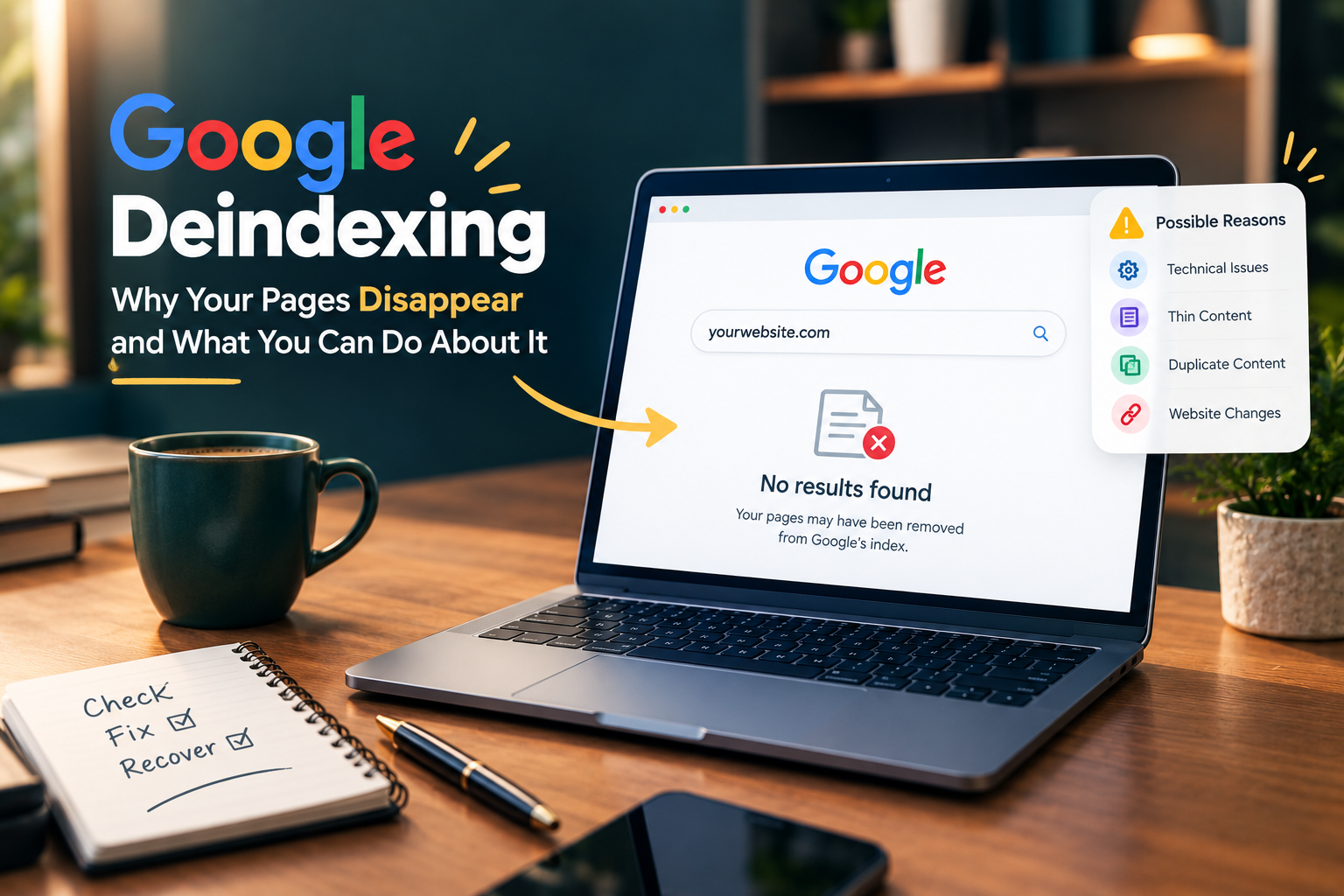
Why Google Is Deindexing Your Website and What You Can Do About It

Seeing your website pages disappear from Google can be worrying, especially when those pages were bringing regular visitors. Deindexing means Google has removed a page from its search index, so the page may no longer appear in search results even though it still works when someone visits the URL directly. The cause is not always a Google penalty. Technical problems, low-quality pages, duplication, changes to your website or indexing signals can all play a part. The good news is that you can usually find the reason by checking your site carefully and fixing the underlying problem. What Does Google Deindexing Mean? Google keeps a large index of web pages that it considers useful for searchers. When a page is indexed, it has a chance to appear in relevant search results. When Google removes that page from its index, organic visibility can disappear. A single page disappearing does not necessarily mean something is wrong with your entire website. Google may decide that a particular page does not currently meet its indexing or quality systems. A larger drop across many pages needs more attention because it can point to a technical issue, a website-wide change or a broader quality problem. Why Is Google Deindexing Your Pages? Technical indexing problems Technical issues are one of the first areas you should check. A page can become difficult for Google to index when your robots.txt file blocks crawling or when a noindex directive has been added to the page. Incorrect canonical tags can also create confusion. If your page tells Google that another URL is the preferred version, Google may choose to index that other URL instead. Server problems matter too. Frequent 5xx errors, long periods of downtime or pages that return unexpected status codes can affect crawling and indexing. Thin or unhelpful content Google wants search results to provide useful information. Pages with very little original information may struggle to remain indexed when better results are available. This issue can affect websites that publish large numbers of short articles with little added value. A page may technically contain text but still offer very little that helps the reader. Your content should answer the reason behind the search. Clear explanations, useful details and original information can make a page much more valuable than a page created simply to target a keyword. Duplicate content across your website Duplicate or highly similar pages can also create indexing problems. This often happens when websites have several URLs showing almost identical content. Google may choose one version as the main page and leave other versions out of the index. That situation is not automatically a penalty. It is often Google trying to avoid showing multiple copies of the same information. Your internal linking, canonical tags and URL structure should make it clear which version you want Google to understand as the main page. Content that looks copied or heavily reproduced Originality matters when you want a website to build lasting search visibility. Articles that simply reproduce information already available elsewhere may have little reason to rank above the original source. Your own reporting, analysis, examples, experience and useful details can give a page a stronger purpose. For news and opinion websites, proper attribution is also important when information comes from another publication or source. Major website changes A website migration, redesign or change in URL structure can cause temporary indexing problems. Broken redirects are particularly important because old URLs may stop leading Google to the correct new pages. Changes to categories, internal links, navigation and XML sitemaps can also affect how Google discovers your content. If your traffic and indexed pages dropped shortly after a redesign, the timing itself is an important clue. How to Check If Google Has Deindexed Your Pages Google Search Console should be your first place to investigate. The Pages report can show URLs that Google discovered but did not index. It can also highlight problems related to crawling, redirects, duplicate URLs and other indexing conditions. You can inspect individual URLs with the URL Inspection tool. This can help you understand whether Google can access the page and whether the URL is currently eligible for indexing. A simple Google search using site:yourdomain.com can also give you a rough idea of how much of your website appears in the index. However, this search is not a complete replacement for Search Console data. Tracking indexing signals should be part of a wider SEO monitoring routine, rather than a one-time check after traffic has already dropped. What Should You Do After Deindexing? The right solution depends on the reason. You should avoid making random changes across your entire website before identifying the problem. First, check your important pages in Search Console. Look for patterns. If hundreds of pages have disappeared at the same time, investigate technical changes first. If only certain types of articles are affected, review those pages for duplication, thin content or limited usefulness. Your robots.txt file and noindex settings deserve a careful check. Your canonical tags should also point to the correct URLs. Broken internal links and incorrect redirects should be repaired. Content that provides little value may need a deeper rewrite rather than a few extra paragraphs. In some cases, combining several similar pages into one stronger resource makes more sense. Do Not Assume Every Drop Is a Google Penalty This is an important point for website owners. A fall in Google traffic does not automatically mean that Google has penalised your website. Search rankings can change because competitors publish stronger content, search behaviour changes, Google updates its systems or some of your pages become less relevant. Deindexing is specifically about a page being absent from Google’s index. Ranking losses are a different issue. A calm investigation is usually more useful than immediately deleting hundreds of pages or making major changes to your website. How to Reduce the Risk of Future Deindexing Your website should have a clear structure and a consistent publishing process. Each important page should have a clear purpose and

Why Google Is Deindexing Your Website and What You Can Do About It Read More »

Marketing automation AI transforming personalized digital campaigns

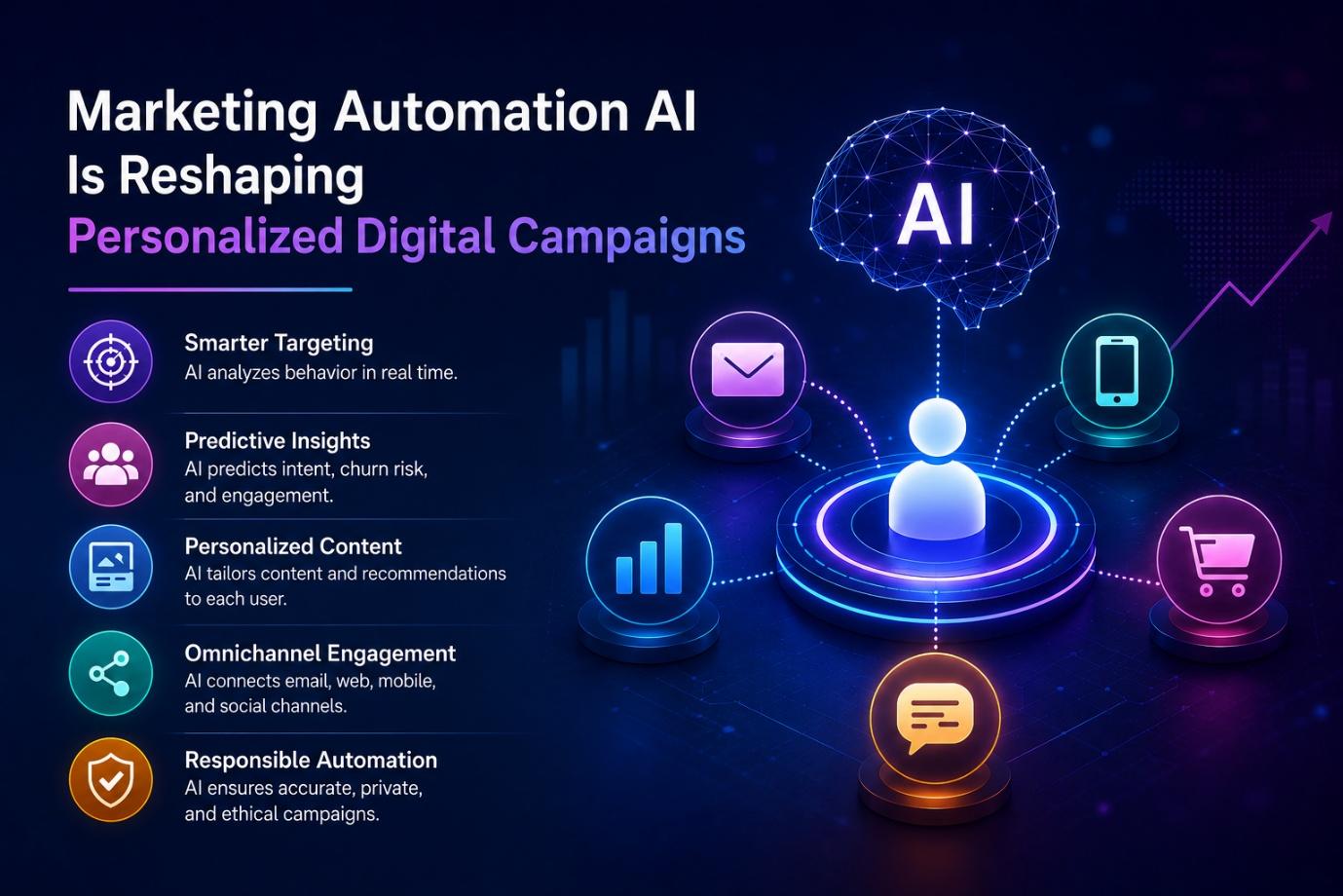
Marketing Automation AI Is Reshaping Personalized Digital Campaigns

Today’s digital marketing campaign has the capability of reacting to events in the customer journey instead of following a fixed plan laid out days in advance. The fact that a product is seen twice, an email isn’t opened, purchase is finished, or a browsing pattern suddenly changes can impact the next message. The next communication in the campaign program can be adjusted and facilitated by AI technology used for marketing automation.  Technology has seen its success reflected in usage figures. As it has been shown in the survey of 4,450 marketing professionals conducted in 2026, 75% of them have already used AI technology, and 84% of them use conventional marketing methods.  Campaigns Are Getting More Responsive  Automated campaigns still run on simple rules. A customer does something, a predefined workflow sends an email at a chosen interval, such as 24 hours or 48 hours, and the communication is carried on. If these systems are useful when it comes to routine communication, they lack knowledge of what happens in between the triggers. AI changes the calculation. Instead of relying on one event, automated systems can assess several recent interactions before selecting a response. A visitor who repeatedly checks the same product but ignores promotional emails represents a different situation from someone who has just completed a purchase. The difference can show up in campaign results. Research published in 2025 recorded engagement and action rates roughly 10% higher for an AI-supported personalized telecom campaign than for a comparable non-personalized campaign. Content production is changing alongside targeting. Certain generative AI workflows have also been reported to accelerate content development by up to 50 times. Data Is Still the Difficult Part The technology may be capable of processing large amounts of information, but the information itself is often scattered. Customer service records, purchase histories, website activity, and marketing interactions may exist in separate systems. The main challenge for real-time personalization was discovered through research conducted with over 8,000 consumers and around 3,200 customer experience professionals: fragmentation of the data.  The situation has not disappeared as AI adoption has increased. Among 4,450 marketers surveyed in 2026, 58% reported complete access to service data. Complete access stood at 56% for sales data and 51% for commerce data. This leaves a substantial proportion of organizations working with incomplete customer information. The need for systems supporting campaign management can be seen in market statistics as well. According to Data Intello, the Digital Recall Campaign Manager global market will be worth $2.8 billion in 2025 and will grow to $5.9 billion in 2034, registering CAGR of 8.6% for the years between 2026 and 2034. Metric Latest figure What it tells Marketers using AI 75% AI adoption is widespread Generic campaigns 84% Personalization remains uneven Engagement improvement in one study 10% AI-supported targeting showed higher response Content development acceleration Up to 50× Some production tasks can be completed much faster Complete service-data access 58% Data availability remains incomplete Complete commerce-data access 51% Commerce information is particularly fragmented Personalization Has Moved Beyond a First Name A personalized email once meant little more than inserting a customer’s name into the subject line. That approach has become too narrow for the amount of information generated by digital activity. A modern campaign can consider previous purchases, products viewed, frequency of visits, response to earlier messages, and preferred communication channels. These signals can be assessed together rather than independently. The timing aspect is becoming relevant in this case. Based on a survey, conducted in 2026, it has been revealed that 83% of marketers say that customers tend to communicate more with companies in the format of two-way communication. However, it is hard for 69% of them to reply to customers in time.  The received data gives an idea that the right message delivered after the customer’s curiosity has faded won’t lead to any results. Thus, quick analysis is essential, as customers’ intentions can change quickly. Predictive Models Are Changing Audience Selection One more advancement consists of moving from descriptive segmentation to predictive one. In this way, there is no longer a need simply to determine what group a customer is associated with; now, predictive AI technologies can give an estimate of the probability of a future behavior.  The measures of the buyer’s purchase intention, the probability of leaving, engagement, and preferences in content become available as predictive scores based on previous activities. Several studies conducted have unearthed the fact that companies applying AI-driven personalization strategies yielded results in customer satisfaction improvement ranging between 15 and 20 percent. Some reports indicated revenue uplifts of up to 8% and cost reduction of about 30%. The figures provided differ between companies and industries. The variation affects the accepted metrics and methods of measurement.  Consumer behavior adds to the understanding of the trends in personalization and its development. According to research, 56 percent of customers would like to have their purchases considered while personalizing experiences, while 50 percent want personalization on the basis of previously viewed products. Five Innovations Reshaping Campaign Processes  More Data Also Creates More Responsibility There is a less visible side to automated personalization. The more information a system uses, the greater the consequences of inaccurate or outdated records. An example of receiving an irrelevant recommendation can be considered less significant. Repeating the same messages based on old behavior or using personal information without the permission can give rise to bigger problems.  The scope of the issue can be understood from a 2026 data showing that 98% of the surveyed marketers faced challenges in personalizing their messages. Accuracy, privacy, and automation consequently need to be considered together. Customer information requires appropriate consent and security controls, while automated decisions need rules around frequency and relevance. Human review also remains useful for situations that fall outside normal patterns. Where Digital Campaigns Are Heading The biggest change may be the shrinking distance between customer behavior and campaign response. Traditional campaign planning often separates creation, launch, measurement, and adjustment into different stages. AI is gradually bringing those stages closer

Marketing Automation AI Is Reshaping Personalized Digital Campaigns Read More »

cart abandonment

Why Shoppers Leave Before They Buy

An honest look at why people add items to their cart but never finish buying A woman looks through jackets on her phone during her lunch break. She found the website recommended by her friend and liked one of the jackets, so she added it to her cart. But then, she left. Perhaps the shipping cost was too high, or maybe the website crashed. It could have been any number of things, but now this woman is just another statistic. She is, in fact, one of the seven out of ten people who added products to their cart but did not end up purchasing them. This scenario plays out millions of times every day, in different stores, different countries, and different products. Most often, guides on reducing cart abandonment talk about easy solutions like better photos, fewer fields to fill, and trust badges. While these are all helpful, they only scratch the surface. This article, however, goes beyond easy solutions and tries to explain the psychology of purchasing and what exactly causes people to change their mind, based on research. 1. The Real Shape of the Problem Let’s begin with the most common statistic of them all, the seven out of ten. In reality, Baymard Institute has been tracking cart abandonment rates for years, and the number hovers around 70% annually, based on their research. While some of these abandoned carts are due to people browsing the site and comparing prices, or just getting distracted and leaving, these are all normal parts of the browsing process. A store can’t really do much about that. However, if we take those out, we can see the real issue. Figure 1: Reasons shoppers give for abandoning checkout Unexpected costs during the final stage are the most frequent reasons for cart abandonment, according to 48% of surveyed shoppers. This means that almost half of the people who give up on buying something online do so because of last-minute cost surprises. This represents not an edge case, but a broad chasm in the conversion fundamentals. Shoppers who start their purchase on a mobile device are much more likely to abandon their cart during checkout. Between 10-15% more mobile users than laptop users give up on the process due to the difficulty of the interface. This could mean small buttons, long forms, or poor autofill suggestions that are magnified on a tiny screen. To give some context to just how much this matters, global e-commerce sales are estimated to be worth over $5 T annually. With a 70% checkout abandonment rate, this means that trillions of dollars in theoretical sales are simply vanishing at the final purchase step. Of this lost revenue, a considerable chunk should be recoverable by addressing the most common pain points. 2. Know Your Numbers Before You Guess Figure 2: Average order value by category, in ₹ Your team must have a general idea of what conversion rate improvement tactics have worked and which have not. Even if you do not have hard analytics to back this up, you most likely already know the approximate conversion rate you are aiming for. However, there is not much use in only having a target figure if your team does not have any context for it. For most e-commerce companies, average conversion rates fall somewhere between 2.35% and 5.31%, with most categories having much narrower ranges. A women’s accessories shop and a men’s phone case store would have wildly different conversion rates. Luxury: Average order value (AOV) of ₹38,000 – ₹64,000. Conversion rate: Lower than average, witha  longer decision-making process Electronics: AOV of ₹45,000. Shoppers will research extensively before making a purchase. Fashion: AOV of ₹16,500 – ₹25,500 Higher returns and seasonality Beauty: AOV of ₹7,700 – ₹11,500. Lower AOV but higher repeat purchase rate If your conversion rate is within the average range for your category, there is not much need to overhaul your entire strategy just to improve by 1%. If your performance is at least 5% below the benchmark, there is likely an exact issue that you can resolve. This principle also applies to any other metric that your team tracks; always compare it to the relevant averages and only then decide whether it needs improvement. At the same time, always keep in mind that a significantly higher rate is not necessarily a good thing. In some cases, a rate that is 10% above the average for your category might be the result of skimming traffic that only ever buys on your site anyway. This is especially true for directories and marketplaces. 3. The Quiet Reasons People Decide What They Decide Figure 3: Eight psychological shortcuts shoppers use People do not really think about what they buy; most purchase decisions are made on a subconscious level through various psychological mechanisms. Scientists have been studying them extensively for years, and it is possible that your business already takes advantage of several of them without your team even realizing it. There is nothing wrong with using psychology to your advantage if you are aware of the ways in which you are doing so. Anchoring The first price that a shopper sees influences their perception of value, so a crossed-out “original” price next to a discounted one is useful in convincing the buyer that they are getting a good deal. Loss aversion Losing something is much more painful than gaining something of the same value is pleasant. This is why warnings about losing discounts or rewards are much more effective at persuading people than presenting them with an outright offer.  The decoy effect Giving customers three options, one of which is clearly worse than the other two, will drive them to purchase the “better” one instead of making them compare the two lower-value options. Choice Paralysis More options don’t always lead to more sales. Barry Schwartz’s research on choice paralysis shows that a larger selection can decrease purchase frequency because evaluating too many similar items can be exhausting before a decision is even made.

Why Shoppers Leave Before They Buy Read More »

Best Digital Marketing Agencies in Haryana: Who Actually Delivers Results

Best Digital Marketing Agencies in Haryana: Who Actually Delivers Results

Digital marketing is no longer confined to the big cities or large businesses in Haryana. Companies around the state are establishing their online presence and connecting with more customers in the digital world. Whether it is retail shops, clinics, manufacturers, or D2C brands – businesses are finding out that what they need to grow online is the right digital marketing strategy and a dependable agency to get measurable outcomes.  But here’s the problem: Open Google and search “digital marketing agency near me”, and you’ll get a hundred names, all claiming the same things. Better rankings. Quality leads. High ROI. Guaranteed growth. After a point, it all starts sounding the same, and picking the right one feels more like guesswork than a decision. That’s what this list is for. We looked at each agency’s experience, the services they offer, what their clients say about working with them, and where they stand in the industry overall.  No paid rankings, no guesswork, just agencies that have shown up and delivered for businesses like yours. Whether you’re just starting, running a local shop, or already established and looking to scale further, there’s an agency here that fits your stage. These aren’t companies that made the list on big claims; they made it because their work actually shows.  Why Haryana Businesses Actually Need This Right Now Think about how shopping worked in Kurukshetra or Karnal just ten years back. A newspaper ad, a banner outside the shop, maybe your neighbour telling you where to get the best deal. That was marketing. Things look completely different now. Before stepping into a store, most people are already on Google checking timings, reviews, and prices. They’re scrolling Instagram to see what a brand actually looks like before trusting it. And if your shop doesn’t show up in that search, it doesn’t matter how good your product is; you’re losing customers who are sitting just five minutes away from your shop. This is exactly why digital marketing in Haryana has outgrown the old idea of “Let’s run one Facebook ad and see what happens.” It’s not a one-time activity anymore. It’s about showing up consistently online, and that means working across several strategies together, such as: These services work best when they’re part of one clear strategy instead of being handled separately. Many businesses in smaller cities across Haryana are now realizing what companies in Gurugram learned years ago: investing in random marketing activities without a proper plan rarely delivers good results or a worthwhile return  Common Mistakes Businesses Make While Choosing an Agency A recurring pattern shows up across Haryana’s small and mid-sized businesses when they start looking for help: they pick based on price alone, sign a contract without asking what “SEO” actually includes, and then feel let down three months later when nothing has visibly changed. A few things worth avoiding: None of this is unique to Haryana, but it shows up more often outside the metro cities, where digital marketing is still newer territory for a lot of business owners. What Actually Makes an Agency “The Best” Every second website calls itself the best digital marketing agency in its city, so that label alone doesn’t mean much. A few things are worth checking instead of taking claims at face value: With that in mind, here are three agencies from Haryana worth a closer look, each with a different strength. 1. Digimaniac  Digimaniac isn’t an agency that provides SEO and ad campaign services to clients; it’s a training institute in Kurukshetra, offering digital marketing, graphic design, video editing, animation, and web development courses, primarily for students and working professionals who are looking for skills that will help them in their real life, not another theory-driven course. The institute is founded by Akshit Rana and Nizu Sachdeva, creators of Digimaniac, with a clear emphasis on learning with industry focus. It has grown a lot since then, and the courses are available in Chandigarh, Panipat, Ambala, Karnal, Panchkula, Yamunanagar, Zirakpur as well as online, thanks to people who cannot attend in person. The actual teaching includes real projects, industry-oriented tools, and client briefs – not only slides and theory! For anyone in Haryana who wants to eventually run their own SEO company or work inside a digital marketing agency instead of hiring one, this is the more relevant kind of “digital marketing agency in Haryana” search result to land on. Key courses: Highlights: 2. Digital Chaabi Digital Chaabi runs out of two Haryana offices, Gurugram and Hisar, and works as a full-service digital marketing company in Haryana for businesses that need someone to actually execute campaigns, not just consult. It’s a unit of MeDa Partners Pvt Ltd, founded by Ankush Mehta, and has picked up a fair number of client testimonials praising the team’s responsiveness over the years. Their service mix covers pretty much everything a growing business would need under one roof — building the website, getting it to rank, running paid ads, and keeping the brand’s reputation clean on review sites. That combination — on-page SEO, paid media, reputation management — is roughly what most people searching “digital marketing services in Haryana” are actually after: one team handling the whole funnel instead of stitching together three different freelancers.  Key services: 3. Brand hype Brandhype has been running as a digital marketing company since 2014, with over a decade of experience built primarily around the Gurugram and Delhi NCR markets. The agency is led by Arvind Malick and takes on the usual full stack, SEO, PPC, social media marketing, web design and development, and Google Business Profile optimisation for clients across a fairly widespread array of industries, from schools and real estate to fashion, healthcare, and B2B services. What stands out about Brandhype compared to a lot of Gurugram agencies is the client base it’s built up over the years. CBSE schools, consulting firms, electric vehicle companies, tour operators, and fashion labels all show up in their case studies, which suggests a team comfortable switching between

Best Digital Marketing Agencies in Haryana: Who Actually Delivers Results Read More »

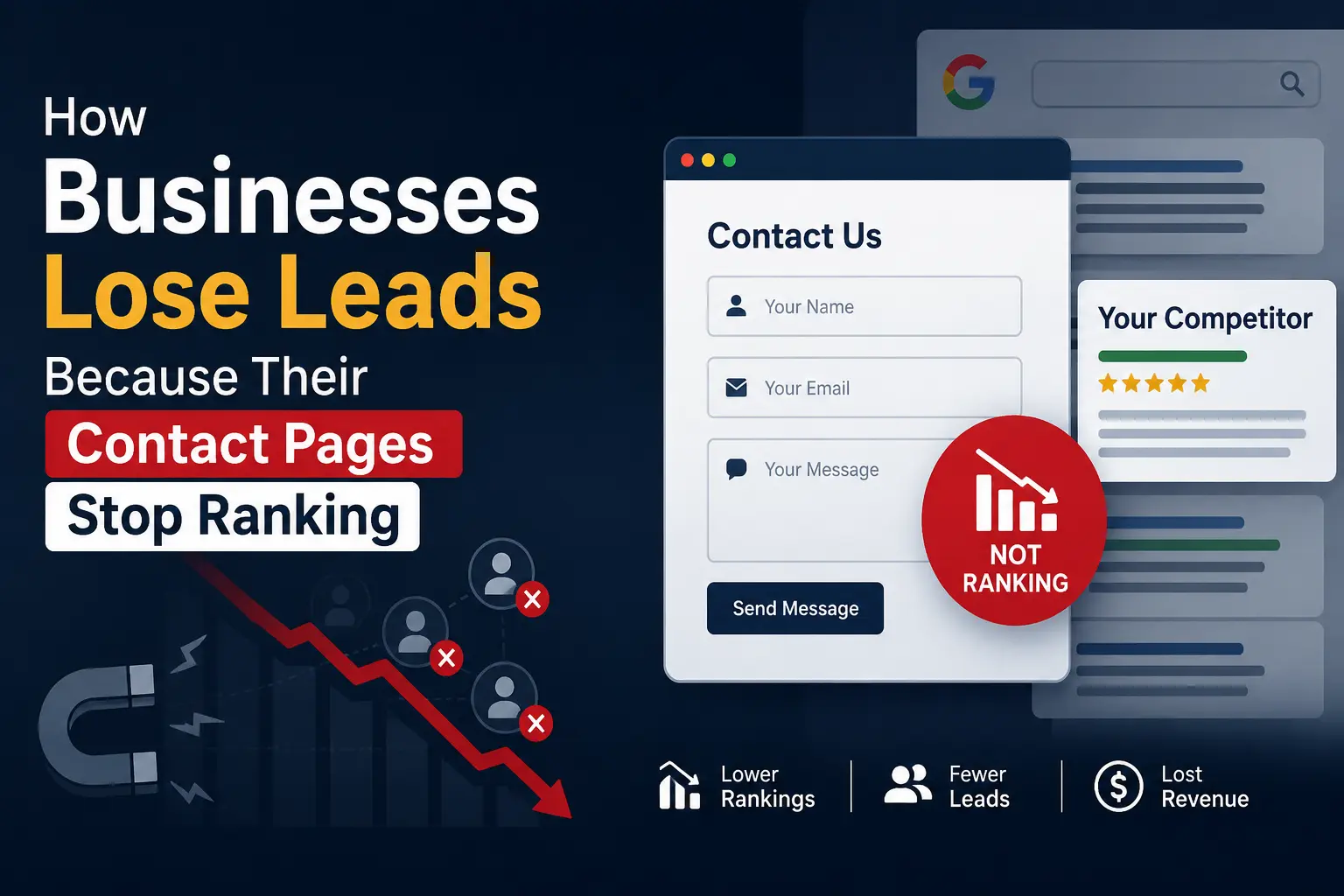
How Businesses Lose Leads Because Their Contact Pages Stop Ranking

How Businesses Lose Leads Because Their Contact Pages Stop Ranking

A business website operates as the primary gateway connecting outbound marketing campaigns with tangible revenue numbers. The exact moment a prospective client clicks your primary call-to-action button, they expect an immediate, unhindered connection to your sales staff. However, even the most ambitious marketing campaign underperforms when your backend infrastructure fails to deliver that submission data cleanly. Investing in premium performance optimized hosting ensures that your technical foundation remains stable enough to process every incoming message instantly. Industry benchmarks consistently reveal that a one-second delay in page responsiveness drops overall conversions by a clean 20%. When a high-value inquiry form stalls during initialization, modern buyers simply close the browser window to find a faster competitor. Shifting to premium business website hosting acts as your frontline defense against these expensive, invisible technical leaks. Without a stable data architecture, a beautiful user interface cannot transform raw inbound web traffic into measurable corporate expansion. The Silent Lead Drainers on Your Website Graphic designers often choose heavy visual elements, packing the pages with massive image galleries, background videos, and custom animations to build brand identity. While these elements build a memorable brand identity, they frequently create massive code bloat behind the scenes. If the underlying development architecture fails to compress these visual assets, the website becomes incredibly heavy to load for mobile users. A beautiful interface loses all practical value if the submission button lacks the proper processing script to execute commands instantly. When a visitor fills out an inquiry form, multiple database requests occur simultaneously. If the database execution path is unoptimized, the system times out before the data reaches the sales dashboard. Beyond raw loading speeds, several subtle technical malfunctions cause businesses to lose valuable inquiries daily. Many corporate websites suffer from misconfigured form validation scripts that reject valid customer phone numbers or email addresses. Instead, visitors encounter validation loops and generic errors that never explain how to correct the problem. 4. Failed Notification Dispatches Break Customer Communication Silent processing failures often let a user see a successful submission message on screen while the background mail server completely drops the outbound alert. The prospect assumes your team received their information, while your sales representatives see an empty dashboard. This specific breakdown destroys corporate credibility before your team even schedules an initial discovery call. Hosting Matters: Not All Servers Are Created Equal Many corporate entities view web servers as a basic utility expense, picking the cheapest tier plans to save capital. Standard shared setups pack hundreds of unrelated websites onto a single piece of hardware, causing them to compete over identical random-access memory allocations. Whenever a neighboring portal experiences a sudden traffic spike, your enterprise contact form immediately encounters severe processing delays, dropping your search placement and hiding your primary contact page from buyers. Enterprise Infrastructure Solutions Fixing these severe technical blockages requires moving your production files off generic retail servers into specialized enterprise environments. Integrating object caching layers, modern script execution engines, and updated communication protocols significantly reduces the processing cycles required to render complex forms. These simple tweaks keep your signup forms completely stable when sudden spikes of corporate traffic hit the website. Moving your web assets to MilesWeb equips your company with an isolated hardware environment built explicitly for enterprise data speed. Their systems isolate your corporate databases from noisy neighboring accounts, processing every validation script in milliseconds. This structural framework protects your transaction pathways, keeping your forms open when traffic surges. Secure inquiry delivery requires deep backend configuration that goes well beyond standard server configurations. Standard hosting setups lack proper email delivery tools, dropping automated lead notifications straight into spam folders. Setting up strict server authentication redirects these vital sales alerts directly into your main inbox. Enterprise data systems require around-the-clock defense against file corruption and unexpected operating errors. MilesWeb bundles free professional email accounts with daily backups, allowing your IT team to preserve submission records alongside regular operations. Clean coding separates form elements from heavy visual assets right from the start. Asynchronous scripting prints input text fields and submission buttons on screen well before background media finish loading. Mobile visitors navigating weak cellular connections can complete their inquiries immediately instead of exiting the page. This simple arrangement keeps your inquiry forms completely functional even when the page loads heavy design elements.  High-converting enterprise landing pages drop heavy layout elements to focus purely on server processing speeds. Eliminating your form fields also removes friction for the buyer, which quickly lifts your conversion rates. Checking server logs and monitoring resource usage stops background bugs from disrupting the inquiry form.  Concluding Insights Corporate growth flatlines if marketing sends traffic to a slow backend. You have to treat server speeds with the same urgency as visual branding, or your intake forms will crash during high-volume campaigns. Clearing out database timeouts keeps the workflow clear so inbound leads land straight in the hands of your sales team. Upgrading to a high-performance MilesWeb platform transforms an unoptimized corporate website into a highly predictable client acquisition tool. Transitioning to dedicated, high-speed hardware ensures your critical contact pages remain highly visible across major search networks. Companies win more sales when they clear away technical roadblocks and let buyers complete a purchase without any annoying delays, resulting in a seamless experience that naturally boosts overall revenue. VandanaVandana is a Content Writer and Digital Marketing Executive with 1+ years of experience in SEO content writing, website content, and digital marketing. She specialises in creating engaging, SEO-friendly content, keyword research, and content planning to help brands improve their online presence and audience reach.

How Businesses Lose Leads Because Their Contact Pages Stop Ranking Read More »

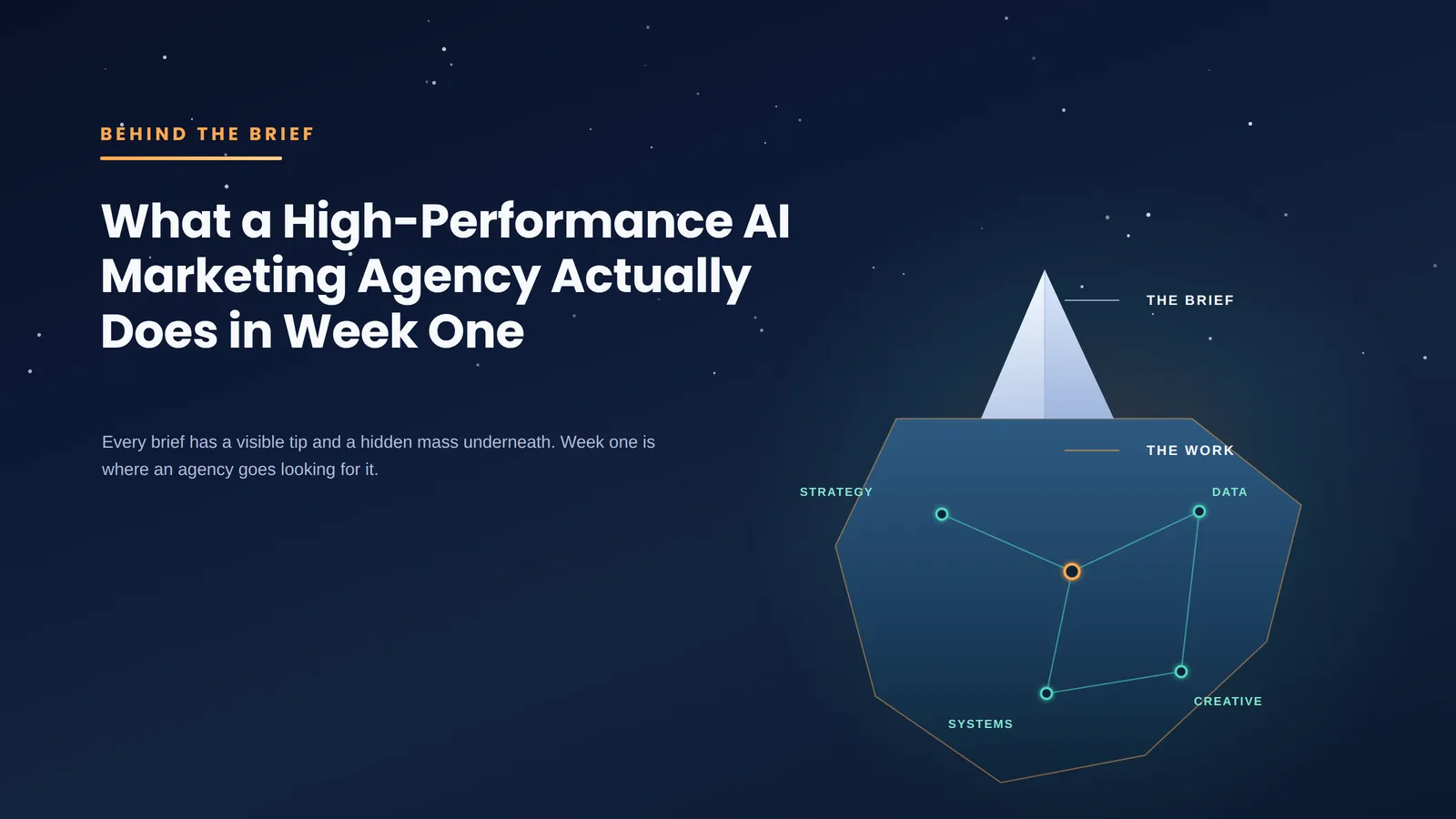
What a High-Performance AI Marketing Agency Actually Does in Week One

Behind the Brief: What a High-Performance AI Marketing Agency Actually Does in Week One

Most agency kickoffs move too slowly because everyone treats the brief as a handover document. A high-performance AI marketing agency treats it as a hypothesis that needs pressure testing before a single campaign goes live. Week one decides whether the engagement becomes a growth system or a queue of disconnected tasks. The Brief Is Not Accepted at Face Value A useful brief tells you what the client believes. It does not always tell you what the market will reward. That is why the first job is not campaign planning. It is interrogation. The agency has to separate business truth from internal shorthand. “We need more leads” can mean weak traffic, poor offer-market fit, slow sales response, weak qualification, bad CRM hygiene, or a board-level pipeline gap dressed up as a marketing problem. In week one, the agency should ask uncomfortable questions before it asks for creative assets: •       Which accounts are worth pursuing? •       Which products carry the strongest margin? •       Which segments close quickly but churn early? •       Which sales conversations keep getting stuck? This is where many average agencies lose the plot. They accept the stated goal, pick familiar channels, and start producing activity. The better team pauses long enough to define what “better” means for the business. A simple example: a SaaS company may ask for LinkedIn ads to increase demo bookings. The first audit might show that paid traffic is not the main issue. Demo requests already exist, but half of them come from poor-fit companies and the CRM marks them all as equal. In that case, more budget only makes the problem louder. Week one should expose that before money moves. Week One Starts With Revenue Logic, Not Channel Planning Digital marketing becomes wasteful when teams plan from channels backward. “Let’s do SEO, LinkedIn, email, and retargeting” sounds complete, but it skips the commercial sequence. A stronger agency starts with revenue logic. Who needs to be influenced? What do they already believe? What trigger makes them search, compare, or respond? What signal tells sales that a buyer is ready for outreach? Only after that does channel planning make sense. For B2B, the path often includes multiple buying roles, delayed intent, and quiet evaluation. The person clicking an ad may not be the person approving spend. The person reading a technical article may be shaping the shortlist months before a vendor call. That is the kind of operating cadence an high-performance AI marketing agency needs before it recommends channels, budgets, or creative volume. In week one, the agency should map the buying motion in plain language  not as a pretty funnel diagram, but as decisions: •       A founder cares about payback. •       A sales leader cares about lead quality. •       A product marketer cares about differentiation. •       A finance stakeholder cares about waste. If the campaign speaks to only one of them, performance will look random. The first week should also force agreement on definitions. A qualified lead should not mean “someone filled out a form.” An engaged account should not mean “someone visited the site.” These definitions shape targeting, reporting, and budget decisions. Loose definitions create confident dashboards with very little business value. AI Is Used to Find Judgment Gaps, Not Replace Judgment The weakest version of AI marketing is faster content and automated reporting. Speed helps, but speed without judgment creates polished noise. In week one, AI should help the agency see patterns faster. It can: •       Cluster search queries •       Summarize sales calls •       Compare landing page messages •       Analyze CRM notes •       Group accounts by firmographic traits •       Spot differences between high-quality and low-quality opportunities The human work is deciding what those patterns mean. For example, an agency might feed anonymized sales call notes into an analysis workflow and find repeated objections around integration effort. A junior team may turn that into a blog topic. A stronger team asks why the objection exists. Is the landing page too vague? Are ads attracting the wrong technical profile? Is sales explaining implementation too late? The answer may change the campaign structure. AI is also useful for negative discovery. It can show which messages sound similar across the market. If every vendor says “automate workflows” and “increase efficiency,” the agency needs sharper language. Week one is the time to find that weakness, not after three months of creative testing. Still, AI should not get the final vote. It does not know the politics of a buying committee. It does not know why a founder rejects a channel because of one failed campaign two years ago. It does not know which sales rep updates the CRM carefully and which one treats it as admin work. The agency has to combine machine speed with field judgment. That combination is the real advantage. The First Audit Looks for Operating Bottlenecks Week one should include a hard look at the marketing operating system, a critical step for B2B growth. Campaigns fail for boring reasons more often than strategic ones. Tracking is broken. Lead stages are unclear. Ad accounts have messy naming conventions. Landing pages ask for too much too soon. Sales receives leads without context. Content attracts students, job seekers, or competitors instead of buyers. Reporting celebrates traffic while revenue teams complain about quality. None of this sounds exciting. All of it affects performance. A serious agency will inspect the handoffs: •       What happens after a form fill? •       How quickly does sales respond? •       What information is passed with the lead? •       Which fields are mandatory? Which events are tracked? •       Which campaigns influence pipeline but never get credit? This is where week one can protect the client from false

Behind the Brief: What a High-Performance AI Marketing Agency Actually Does in Week One Read More »